
Create voided check online free: Quick, Secure Setup in Minutes
Yes, you absolutely can create a voided check online for free. Many banks now offer this feature directly, and some paid tools even provide free trials. It's a lifesaver when you need a quick alternative to a physical check, giving you a proper PDF or PNG file with all your account details.
This digital version is perfect for setting up direct deposit or automatic payments without the hassle.
Why Do I Still Need a Voided Check Anyway?
It’s a fair question, especially when you haven't touched a physical checkbook in years. You land a new job, and the HR department asks for a voided check to set up your direct deposit. For a lot of us, that request sends us scrambling. This is a classic case of old-school processes meeting modern banking habits.
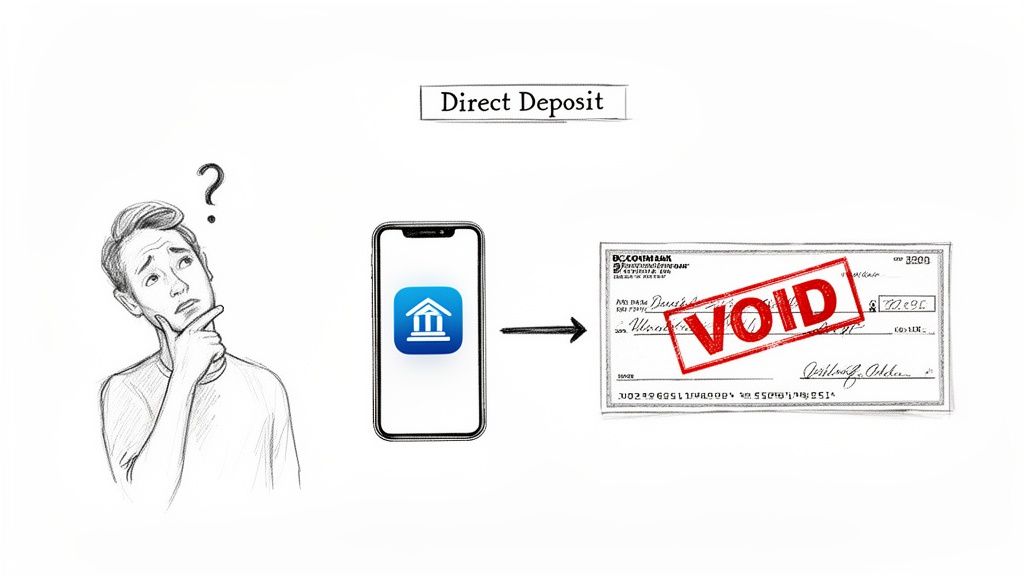
The reason this little piece of paper (or its digital equivalent) hangs on is simple: it’s the most straightforward way to verify bank account information. It lays out three critical details in a standardized format everyone recognizes.
- Routing Number: This tells them which bank you use.
- Account Number: This points directly to your specific account.
- Account Holder Name: This confirms the account actually belongs to you.
Putting these three things together provides a secure, error-proof way for payroll systems, landlords, or utility companies to make sure your money is going to the right place. It pretty much eliminates the risk of a simple typo derailing a payment.
The Shift to Digital Solutions
Let's be honest, physical checks are becoming a relic. The Federal Reserve has tracked a steady decline in their use for years, especially among younger people who have never even owned a checkbook.
But at the same time, direct deposit is more popular than ever—a staggering 78% of U.S. workers get paid this way. You can dig into more payroll statistics from UMACHA.
This is exactly why knowing how to create a voided check online free is so valuable. It saves you from ordering a whole book of checks you’ll never use or making a special trip to the bank.
Think of a voided check as a universal key for your bank account. It doesn't unlock any funds, but it proves the account is real and that it's yours—which is all that payroll and billing systems need to see.
Here's a quick look at why you might be asked for a voided check and what it's used for in each situation.
Common Scenarios Requiring a Voided Check
| Scenario | Primary Purpose | Who Typically Asks |
|---|---|---|
| New Job Onboarding | Setting up direct deposit for your paycheck. | HR or Payroll Department |
| Automatic Bill Payments | Establishing a recurring ACH transfer for utilities, rent, or loan payments. | Landlords, Utility Companies, Lenders |
| Investment Account Funding | Linking your bank account to a brokerage for seamless electronic fund transfers. | Brokerage Firms (e.g., Fidelity, Vanguard) |
| Government Payments | Receiving tax refunds or benefits directly into your account. | IRS, Social Security Administration |
| Business-to-Business Payments | Verifying a vendor or contractor's banking information for invoice payments. | Accounts Payable Departments |
Ultimately, whether you're starting a new job, setting up a mortgage payment, or just trying to automate a utility bill, having a digital voided check ready to go saves a ton of time. It’s the modern fix for a surprisingly persistent old-school problem.
Finding and Verifying Your Banking Information
Before you can make a voided check online, you need two key pieces of information: your routing number and your account number. This is the one part of the process where you absolutely have to be meticulous. Getting even a single digit wrong can send your direct deposit into a black hole or cause an automatic payment to fail, leading to headaches and delays you just don't need.
The good news? You don’t need a dusty old checkbook to find them.
Your bank’s online portal or mobile app is your best bet. It’s the fastest and most reliable place to get this info directly from the source.
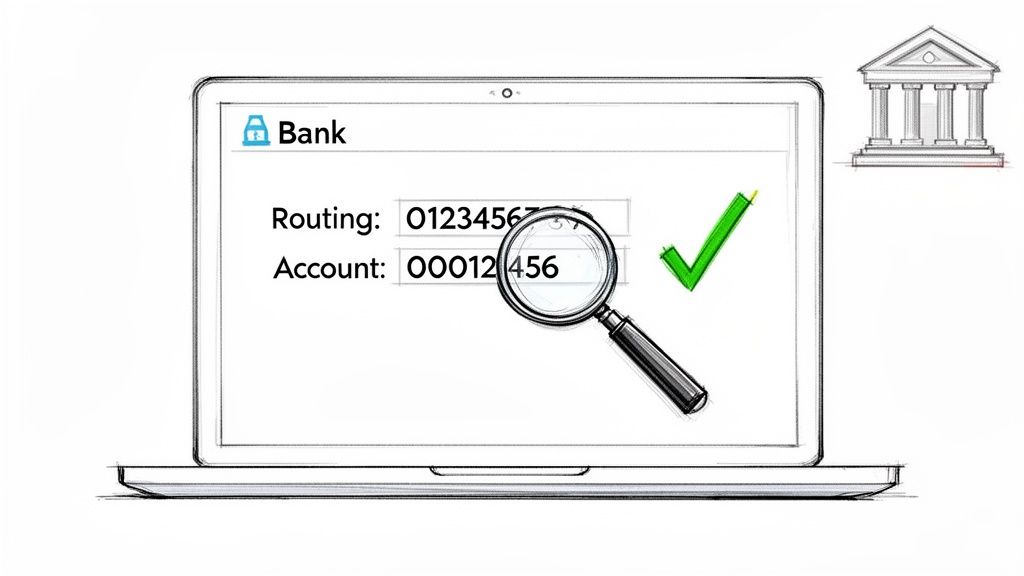
While every bank's layout is a little different, the path is usually pretty similar. Log in, click on your checking account, and start looking for a link that says something like "Account Details," "Direct Deposit Info," or "Routing & Account Numbers."
Locating Your Numbers with Major Banks
Let’s take a couple of real-world examples. If you bank with Chase, you’d log in, pick your checking account, and look for the "Account services" menu. From there, you can usually pull up a pre-filled direct deposit form with everything you need. At Bank of America, it’s just as straightforward: log in, select the account, and head to the "Information & Services" tab.
If you're still stuck, try the search bar within your bank's app or website. Typing in “direct deposit form” or “routing number” will almost always get you there. For help with other banks, you can check out our list of major US bank routing numbers here: https://voidedcheck.org/banks.
Make Sure You Have the Right Routing Number
Here’s a common mistake I’ve seen trip people up: using the wrong type of routing number. Many banks have different routing numbers for different jobs. For direct deposits and bill payments, you need the number designated for ACH (Automated Clearing House) or electronic transfers.
This isn't the same as the routing number for a wire transfer. Wires are a completely different animal, meant for large, one-off payments. If you use the wire transfer number by mistake, your direct deposit setup will get rejected flat out.
Expert Tip: The nine-digit routing number you'd find printed on a physical check is always the ACH number. When you find the number online, just make sure it’s the one labeled for "Direct Deposit" or "ACH" to avoid any issues.
Another Place to Look: Your Bank Statement
Can’t get into your online banking? No problem. Grab a recent bank statement (paper or a PDF download). Your full account number is almost always printed right at the top. The routing number might be there as well, sometimes tucked away in the fine print at the bottom of the page.
Once you have both numbers, copy and paste them into a secure place or have them handy for the next step. By pulling this information directly from your bank, you know it's accurate and ready to go, whether you plan to create a voided check online for free or use a paid tool. It’s the foundation for getting this done right the first time.
How to Create Your Voided Check in 4 Simple Steps
Alright, you've got your routing and account numbers ready to go and you've checked them twice. Now for the easy part: actually creating the voided check. Using a free online tool is genuinely faster than making a cup of coffee, and it beats digging through drawers for a checkbook you haven't seen in years.
The whole process is designed to be incredibly straightforward. We'll walk through exactly how to turn those numbers into a professional-looking document that's ready to send off.
Here’s a quick glance at what a typical online generator looks like. You'll see the fields are laid out just like a real check, making it intuitive.
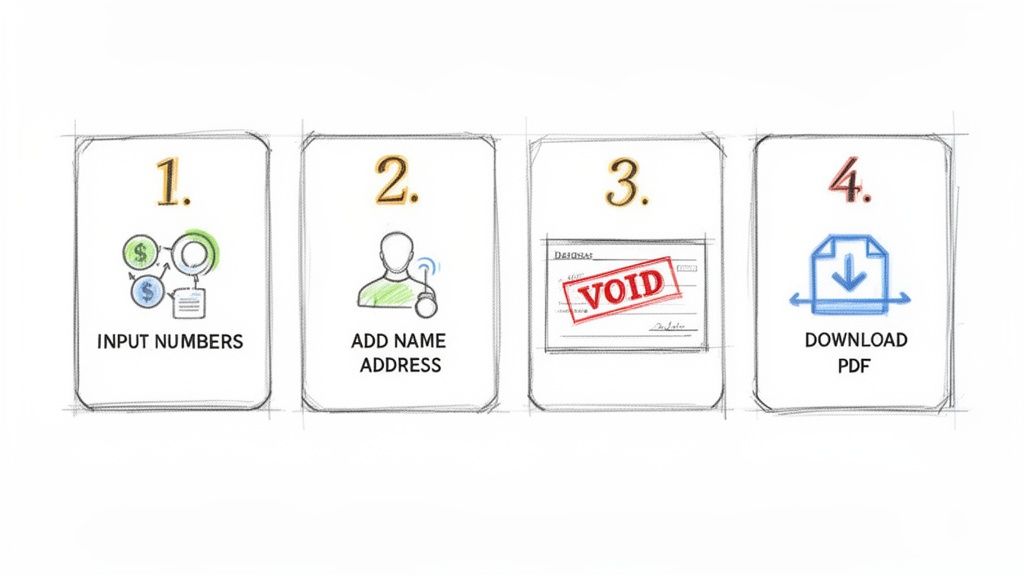
As you can see, it's a clean, simple interface. You just plug your verified info into the boxes.
Step 1: Input Your Verified Bank Numbers
This is the most critical part of the whole process. You’ll see specific fields for your nine-digit routing number and your account number. Very carefully type or paste those numbers into the correct spots.
A good tool, like VoidedCheck.org, often includes a built-in validation feature for the routing number. It's a great little safety net that checks your entry against Federal Reserve data to make sure it's a real bank. This one small feature can save you from a headache caused by a simple typo.
Step 2: Add Your Name and Address
Next up, fill in your personal details. This means your full name and mailing address, and they need to match exactly what's on your bank statements. Consistency is everything here.
For example, if your account is under "Catherine E. Jones," don't just type "Cathy Jones." Payroll systems are often automated to look for an exact match, and a discrepancy could easily flag your direct deposit for a manual review, slowing things down.
Pro Tip: Just moved? Use the address your bank has on file right now. You can update your address with the bank later, but for this document to work, it has to match their current records.
Step 3: Generate and Review the Document
Once all your information is in, it's usually just a single click on a button like "Create Check." The tool will instantly generate a digital image of a check with all your details filled in.
The most important thing it does is automatically plaster the word "VOID" in big, bold letters across the check. This is what makes it a voided check—it can't be used for payment, but the all-important account and routing numbers at the bottom are still perfectly readable.
Before you go any further, take a second to give it a final once-over.
- Numbers: Scan the routing and account numbers one last time. Are they correct?
- Personal Info: Is your name spelled right? Is the address accurate?
- "VOID" Stamp: Is the "VOID" watermark clear and obvious, without covering up the numbers?
Step 4: Download and Deliver Your File
Happy with how it looks? Time to download. The two most common file formats you'll see are PDF and PNG. I almost always recommend the PDF; it’s the standard for official documents because it looks the same on any device and is simple to upload or attach to an email.
Save the file to your computer or phone, and you're done! You've successfully managed to create a voided check online for free (or with a fast paid service) without ever touching a piece of paper.
Will Anyone Actually Accept a Digital Voided Check?
Handing over your banking details to a website can feel a little unnerving. I get it. You're probably wondering if your information is truly safe, and just as important, will your new boss or landlord even accept a digital voided check? These are the right questions to ask, and knowing the answers will help you use these online tools confidently.
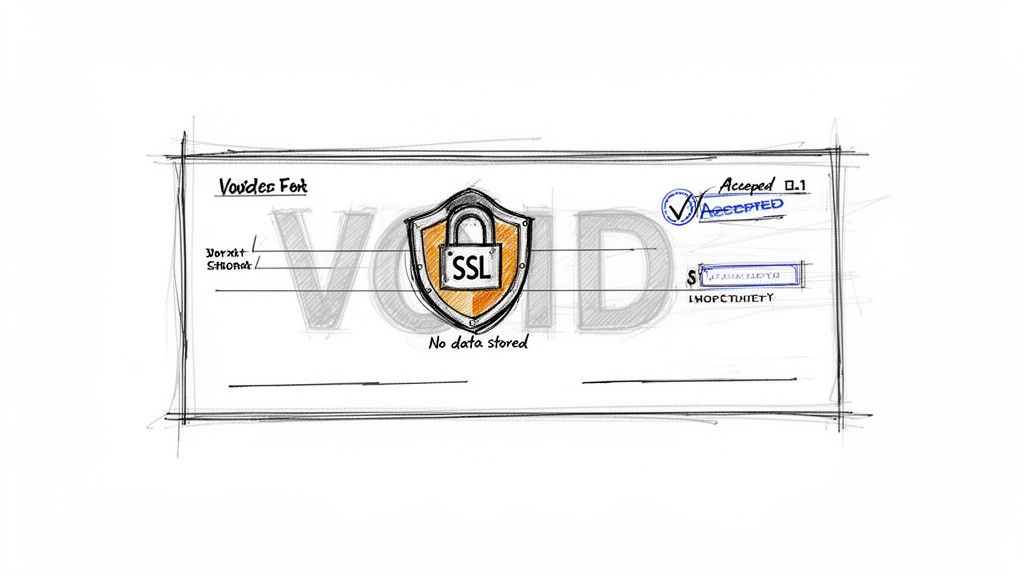
Here's the good news: a professionally generated online voided check is almost never an issue. Major payroll processors like ADP and Gusto, along with thousands of HR departments, see these documents every single day.
The reason they're widely accepted is simple. The digital document provides the exact same critical information—your routing number, account number, and name—as a paper check. It's just delivered in a more convenient, modern format.
The Non-Negotiables for Security
When you decide to create a voided check online for free or opt for a paid service, you need to be your own first line of defense. A trustworthy platform will be upfront about how it protects you.
Here’s what you absolutely must look for:
- SSL Encryption: Check the website's URL. It must start with "https://". That "s" stands for secure, meaning the connection is encrypted while your data is in transit.
- A "No Data Storage" Policy: The best services will make it crystal clear that they do not store your banking information. Your details should be used only to generate the check and then be immediately and permanently deleted from their servers.
- Reputable Payment Processing: For paid tools, make sure they use a well-known payment processor like Stripe. This keeps your credit card details out of the tool's hands and entrusts them to a secure, specialized third party.
These aren't just "nice-to-haves." They're fundamental features for protecting your financial identity.
Pro Tip: A secure digital voided check can actually be safer than a physical one. Once you email the PDF, the task is done. Mailing a physical check opens up the risk of it being lost, stolen from a mailbox, or intercepted.
Flipping the Script: From Security Risk to Security Asset
It might sound strange, but using the right online service can be a much safer bet than handling a physical check. In the United States, check fraud has exploded into a multi-billion-dollar problem.
By sidestepping paper entirely, you eliminate physical risks like mail theft. This isn't a small problem—a recent government alert linked mail theft to thousands of fraud reports and hundreds of millions in suspicious transactions. For a deep dive into the scale of this issue, the latest check fraud report from Recorded Future is eye-opening.
When you generate a voided check online, you're creating a direct, secure line between you and the recipient. There's no physical document to be stolen, altered, or copied. This approach fits perfectly with how modern payroll systems work, cutting down on both risk and paperwork. Suddenly, that initial security worry becomes one of the biggest advantages of going digital.
Free DIY Methods vs Professional Online Tools
So you need a voided check, and you need it now. You've got two main paths you can take. You can roll up your sleeves and go the Do-It-Yourself (DIY) route for free, or you can use a dedicated online tool that gets the job done fast for a small fee. While "free" always sounds good, it's really important to look at what you're trading off in time, security, and the odds of your check actually getting accepted.
The typical DIY approach involves hunting down a blank check template online, maybe one for Microsoft Word or Google Docs. You download it, plug in all your banking info, type "VOID" across the front, and save it as a PDF. Another common tactic is to scan an old paper check, fire up an editor like Photoshop to digitally scrub the old payment details, and then slap the "VOID" text on top.
These methods don't cost any money, but they can come back to bite you, wasting a lot more of your time and causing headaches down the road.
The Hidden Costs of Free DIY Methods
The biggest snag with homemade voided checks is simply how they look. A generic Word template often screams "amateur," with fonts that are just off and weird spacing on the MICR line (that special string of numbers at the bottom). This is an instant red flag for any payroll or accounting department.
An improperly formatted check is likely to get rejected. That means you're back to square one, and your first paycheck could be delayed. Imagine spending an hour messing with a template, only to have HR email you saying they can't accept it. It’s frustrating.
The real issue with DIY checks is the high risk of rejection. You might save a few bucks, but you could easily waste hours on formatting fixes, only to delay your direct deposit by a week or more.
And trying to edit an old check scan? That’s a minefield. Unless you're a graphic design pro, it can easily look doctored or fraudulent—not exactly the first impression you want to make with a new employer.
The Value of Professional Online Services
This is where dedicated online services really prove their worth. For a small fee, these tools are designed to do one thing and do it perfectly: generate a compliant, professional-looking voided check in seconds. They use the correct, bank-approved fonts and formatting, so the final document looks just like something your bank would give you.
It's a classic case of weighing cost against convenience and reliability. To make it clearer, let's break down how the two approaches stack up side-by-side.
Comparing DIY Checks vs Professional Services
A quick look at the features shows a clear difference in what you get for your time and money.
| Feature | DIY (Free Templates) | Professional Service |
|---|---|---|
| Acceptance Rate | Lower; high risk of rejection from payroll systems. | Extremely high; guaranteed to be accepted. |
| Time Investment | Can take 30-60 minutes to find, edit, and format. | Less than 60 seconds from start to finish. |
| Professionalism | Often looks amateurish, raising potential red flags. | Clean, bank-compliant, and professional appearance. |
| Ease of Use | Requires some technical skill with software like Word or Photoshop. | Simple web form; no special software or skills needed. |
| Security | You are responsible for securely handling and deleting your files. | Bank-grade SSL encryption and no-data-storage policies. |
In the end, it really boils down to what you value most. If you’re pretty handy with design software and are willing to risk a rejection to save a few dollars, the DIY method might be fine.
But for most people who just want a guaranteed, fast, and secure solution to get their direct deposit set up right the first time, a professional service is the obvious choice. If you want to see what a properly made document looks like, you can view a compliant https://voidedcheck.org/blank-voided-check to understand the difference.
Common Questions About Online Voided Checks
It's totally normal to have a few questions, even after seeing how straightforward the process is. When you're dealing with financial details online, being a little cautious is just smart. Let's walk through some of the most common concerns so you feel confident about creating your voided check.
Are Digital Voided Checks Legally Valid?
Yes, they absolutely are. A voided check you create online serves the exact same purpose as a paper one from your checkbook.
Think of it this way: its only job is to provide verified information—your name, routing number, and account number—in a format everyone recognizes. Because it carries the same critical data, employers and banks readily accept it for setting up direct deposits and other electronic payments.
The accuracy of the information is what truly matters. Whether that info comes from a piece of paper or a secure PDF, it’s the data itself that payroll systems need.
What Happens if It Gets Rejected?
Honestly, this rarely happens, especially if you use a tool that formats everything to be bank-compliant. But on the off chance a company has a super old-school internal policy and pushes back, don't worry. You have a couple of easy moves.
First, just ask them if they’d accept a direct deposit form from your bank's website instead. Another great alternative is an official letter from your bank confirming your account details. Both are standard, easy to get, and serve the same function. Nine times out of ten, this solves the issue on the spot.
A rejection almost always stems from a company's outdated internal rules, not a problem with the digital check's validity. A polite "What alternative format would you prefer?" usually gets things sorted out instantly.
How Is My Banking Information Kept Safe?
This is, without a doubt, the most important question. Reputable services that let you create a voided check online for free (or for a small fee) use serious security measures to protect your data.
Here’s what to look for:
- SSL Encryption: The website address should start with "https://". That 's' means the connection is secure, scrambling your data as it travels from your browser to their server so no one can intercept it.
- No Data Storage: The best services work on a simple "generate and forget" model. Your account information is used for the sole purpose of creating the PDF, and then it's immediately and permanently deleted from their system.
These safeguards ensure your sensitive details are only in play for the few seconds it takes to generate the file, never stored where they could be at risk.
Ready to get a professional, compliant voided check in under a minute? VoidedCheck.org offers a secure, fast, and guaranteed way to get your direct deposit set up without the wait. Head over to https://voidedcheck.org to generate your check now.
Related Articles
Generate Check Online: Create a Check in Seconds (generate check online)
Need to generate check online? Learn a fast, secure way to create a check for direct deposit or bill pay with our step-by-step guide.
How to create voided check online Instantly
Learn how to create voided check online for direct deposits or ACH payments. Our secure, step-by-step guide makes it fast and easy.
A Practical example of voided check: how to void and set up payments
Looking for an example of voided check? This step-by-step guide shows how to void a check correctly and offers safe, modern direct deposit alternatives.