
How to Get a Voided Check Online Instantly and Securely
Even if you don't own a physical checkbook, getting a voided check online is easier than you might think. Most of the time, you can just download a pre-filled direct deposit form directly from your bank's online portal or mobile app, which works just as well. For a more traditional-looking document, secure online generators can create a professional voided check for you in minutes.
Why You Still Need a Voided Check in a Digital World
It feels a little old-school, doesn't it? Needing a document based on paper checks when banking has gone almost completely digital. But the reality is, a voided check is still a highly trusted tool for financial verification. It acts as the perfect bridge between the reliability of traditional banking and the speed we expect today.
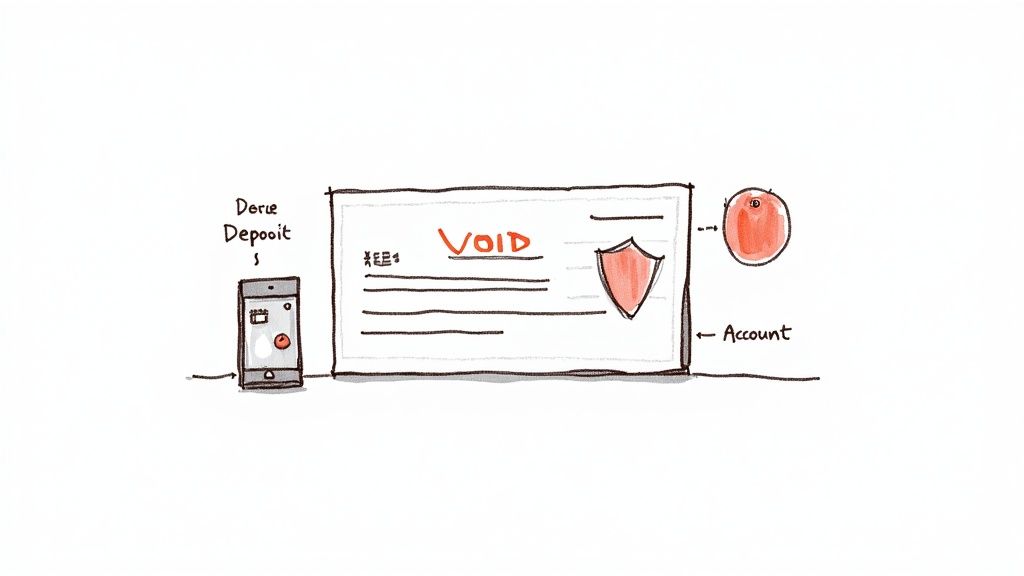
The main reason it sticks around is its sheer simplicity and accuracy. When you’re setting up direct deposit with a new job or authorizing automatic payments for a car loan, those companies need to be 100% certain they have your correct account and routing numbers.
The Problem with Manual Entry Errors
I've seen it happen—a single typo in an account number can send someone's paycheck into a black hole or cause a crucial mortgage payment to fail. A voided check completely sidesteps that risk.
It provides a clear, official record of your banking details straight from the source. It’s exactly why so many payroll and accounting systems were originally built to use this method for verification, and many still prefer it.
Think of it as a safety net. The document confirms:
- Your bank's identity through the routing number.
- Your specific account through the account number.
- You as the account holder with your printed name and address.
A voided check is essentially a foolproof way to share your banking information for a legitimate purpose, such as setting up automatic bill payments or authorizing your employer to direct deposit your salary.
A Trusted Standard in a Changing World
Even as physical checks fade from daily life, their format remains the gold standard for verifying bank account details. The financial world runs on trust and established procedures, and the layout of a check is something every financial institution on the planet understands instantly.
While the use of paper checks is plummeting—U.S. check volume drops by about 1.8 billion annually—the need for the information they carry hasn't gone anywhere. This is precisely why online methods for getting a voided check (or its equivalent) have become so important for everything from linking investment accounts to setting up your new salary deposit. You can get more insights on the modern role of voided checks from a recent report at CompanionLink.com.
This enduring need is what makes modern, digital solutions so valuable. Now, let’s get into exactly how you can get a voided check online without ever touching a piece of paper.
Comparing Your Options for a Digital Voided Check
When you need to get a voided check online, you've actually got a few different ways to tackle it. The best route really depends on what your bank offers, what your employer needs, and whether you even have a physical checkbook lying around anymore. Figuring out the differences upfront can save you a ton of hassle.
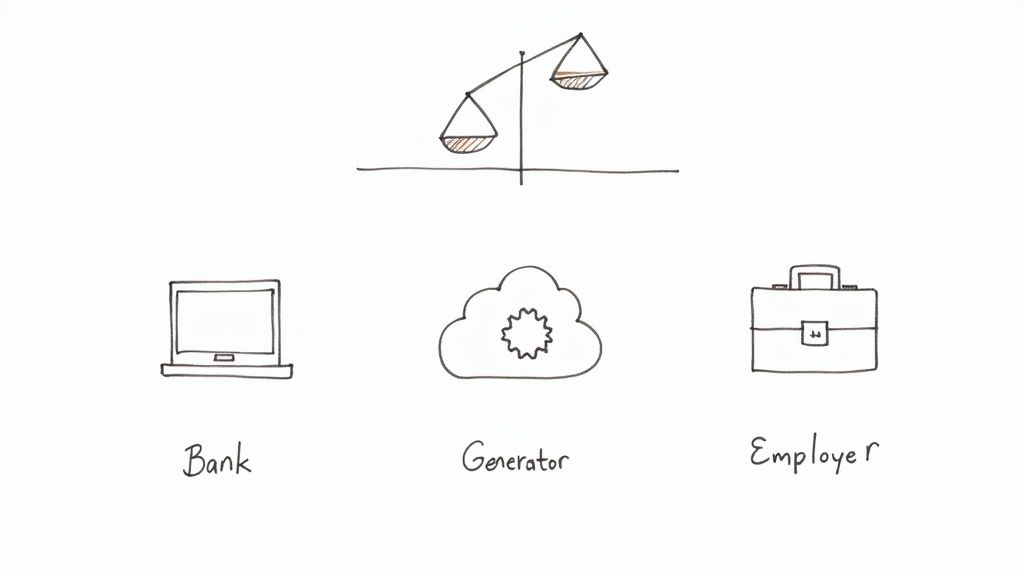
Let's break down the three main paths: going through your bank's online portal, using a third-party check generator, or checking directly with your employer’s payroll system. Each one has its own quirks when it comes to speed, security, and whether it'll be accepted.
Your Bank's Online Portal
Your first and best bet is usually to go straight to the source: your bank. Most of the big players, like Chase or Bank of America, have digital options built right into their online banking platforms. It's the most secure and official method.
When you download a document from your bank, you know it's legitimate. It comes pre-filled with your verified account info and is almost always accepted without question.
The tricky part? Banks almost never call it a "voided check." You'll have to do a little digging. Keep an eye out for terms like:
- Direct Deposit Form: This is the most popular substitute. It often includes a sample check image with "VOID" stamped right on it.
- Account Verification Letter: Think of this as a formal note from your bank on official letterhead, confirming all your account details.
- ACH Form: This document is specifically for setting up Automated Clearing House (ACH) payments, which is exactly what direct deposit is.
The only real downside here is that finding these forms can sometimes feel like a scavenger hunt. Even worse, some smaller banks or credit unions might not offer a digital version at all, leaving you at a dead end.
Third-Party Online Generators
So, what do you do if your bank's website is a maze and you don't own a checkbook? This is where an online check generator can be a real game-changer. A reliable service like VoidedCheck.org lets you create a perfectly formatted voided check in less than a minute.
You just plug in your routing and account numbers, and the tool spits out a standard PDF you can download instantly. It’s incredibly fast and convenient, especially when you're starting a new job and HR is waiting on your paperwork.
The most important thing here is to pick a secure service. A trustworthy generator will use encryption (look for the "HTTPS" in the web address) and have a privacy policy that clearly states your financial data is not stored after you create the check.
The only potential hang-up is that a handful of very old-school payroll departments might be hesitant to accept a document that didn't come directly from a bank. Honestly, though, this is becoming less and less common as everyone gets more comfortable with digital-first solutions.
Your Employer’s Payroll System
There's one more option people often forget about: your employer's own payroll portal. Many modern HR platforms, like ADP or Gusto, can connect directly to your bank.
If your company uses one of these systems, you might not need a document at all. Instead, the portal will simply ask you to log in to your online bank account through a secure pop-up window. This instantly verifies and links your account for direct deposit. It’s easily the most streamlined method, but it’s completely out of your hands—it all depends on the tech your employer has in place.
Getting Direct Deposit Info Straight From Your Bank
When you need to set up direct deposit, your own bank is hands-down the most reliable and direct place to get the necessary info. Forget hunting for a physical checkbook. These days, major banks provide official digital documents that do the exact same job. Think of them as the gold standard for verification—they're trusted and accepted almost everywhere.
The trick is knowing what you're looking for. Banks don't usually call these documents a "voided check." They've got their own names for these digital alternatives, and once you know the lingo, you'll find them in a snap.
Finding the Right Form in Your Bank Portal
Log in to your online banking account and head over to your checking account details. You'll want to poke around in sections like "Account Services," "More," or something similar.
Keep an eye out for these common document names:
- Direct Deposit Info Form: This is the big one. It's an official, pre-filled PDF that lays out your routing number, account number, and sometimes even shows a sample check with "VOID" stamped across it.
- Account Verification Letter: Some banks provide a formal letter on their letterhead that spells out and confirms your account details. It's another excellent, highly trusted option.
- ACH Authorization Form: This form gives the green light for Automated Clearing House (ACH) transactions, which is the network that handles direct deposits and automatic bill payments.
Getting to these documents is a pretty similar process no matter who you bank with. If you're looking for specific steps, our guide to bank direct deposit forms has detailed walkthroughs for many of the big names.
This image shows the kind of interface you might see on an online voided check generator.
You'd typically enter your routing and account numbers, along with personal details, into fields like these to create the document.
What the Big Banks Are Doing
Most major U.S. banks have made this incredibly easy. Big players like Chase, Wells Fargo, and Bank of America have built-in features for generating these forms right from their websites or mobile apps. Bank of America even lets you ask its mobile assistant, Erica, to create the form for you, which you can then print or email on the spot. You can dig into more specifics on how major banks handle online voided checks on PaystubCreator.net.
Pro Tip: Don't sleep on your bank's mobile app. Sometimes, finding and downloading a direct deposit form is even quicker on your phone. Just use the search bar in the app and type "direct deposit" to jump straight to the right feature.
If you've spent a few minutes searching and still can't find it, don't keep clicking around in frustration. The fastest path forward is to use your bank's secure messaging feature or just give their customer service line a call. Ask them, "Where can I download a direct deposit information form?" They'll point you right to it, saving you a headache and getting you the official document you need in minutes.
A Walkthrough of Online Voided Check Generators
So, what do you do when your bank doesn't offer a downloadable direct deposit form and you haven't seen a physical checkbook in years? It’s a surprisingly common situation, but definitely not a dead end. Online voided check generators are designed to fill this exact gap, giving you a fast, reliable way to create the document you need in just a few minutes.
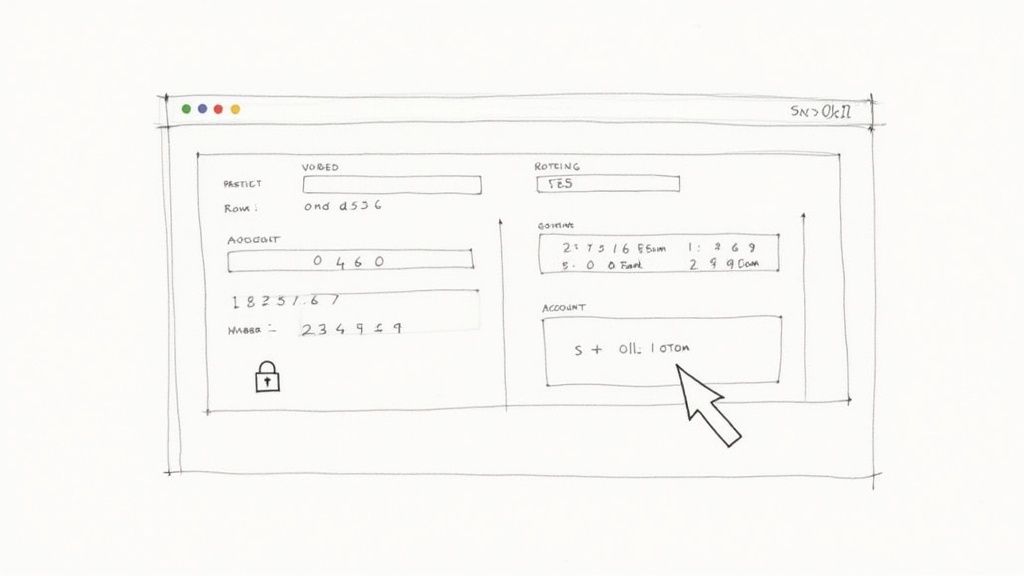
These tools are built for simplicity. You plug in your key banking details, and the service spits out a professional-looking, properly formatted voided check that you can download and immediately send off to your employer or a service provider.
First, Grab Your Banking Info
Before you even open a generator tool, you’ll need two crucial pieces of information: your routing number and your account number. The quickest way to find these is usually by logging into your bank's online portal or mobile app.
It's almost always a similar process:
- Navigate to and select your main checking account.
- Look for a link or tab labeled "Account Details," "Info," or something obvious like "Routing & Account Numbers."
- Carefully copy both numbers or jot them down.
Having this information ready to go makes the rest of the process a breeze.
Using the Generator: A Step-by-Step Look
With your numbers in hand, the process is pretty straightforward. The most important part is choosing a reputable tool. You can get started with a secure voided check generator designed specifically for this task.
First, you'll be asked to enter your bank's nine-digit routing number. A good generator will check this number against Federal Reserve data in real time to confirm which bank it belongs to. This instant validation is a great sign that you're using a trustworthy service.
Next up is your personal checking account number. My biggest tip here? Double- and triple-check it. A single typo is the number one reason I see direct deposits get rejected or delayed.
Finally, you’ll fill in your personal details—your full name and address—exactly as they appear on your bank statements. Keeping this consistent is key to making sure the document is accepted without a second glance.
Here's something to look out for: a secure generator's data handling policy. The best services use 256-bit SSL encryption to protect your details during the process and, critically, never store your financial data once the check is made. Always confirm this before you start.
Preview and Download Your Check
Once all your information is in, the service will generate a preview of the final document. This is your moment to do one last quality check.
Run through this quick list:
- Are the routing and account numbers 100% correct?
- Is your name and address spelled perfectly?
- Is the word "VOID" clearly printed across the check?
If everything checks out, go ahead and download the file. Most services provide it as a PDF, which is the perfect format for emailing to HR or uploading directly to a payroll portal. The whole thing, from start to finish, often takes less than 60 seconds—a super quick fix when you're in a pinch.
Getting Your Digital Voided Check Accepted and Keeping It Secure
You've generated your voided check online—great! But the job isn't done until you're sure of two things: it will be accepted, and your financial information stays safe in the process. This final step is all about crossing the finish line without any hiccups.
From how the check looks to the way you send it, paying attention to the details here will save you a lot of potential headaches.
Formatting It the Right Way
Appearance matters, even for a digital document. The goal is to create something that looks legitimate and is instantly recognizable as a voided check, whether it came from a generator or your bank's website.
The most critical part? Make sure the word "VOID" is slapped right across the front in big, clear letters. This is what makes it unusable for payment but keeps the important numbers visible. If you end up printing it to sign and scan, use a black or blue pen and be careful not to write over the numbers at the bottom.
Before you do anything else, double-check that MICR line—the special string of characters at the bottom with your routing and account numbers. A single wrong number here is the most common reason for a direct deposit to fail.
How to Send Your Information Securely
Let's be clear: you're about to send a document with your banking DNA on it. Don't do it from the coffee shop's public Wi-Fi. Always, always use a private, secure internet connection.
When it’s time to send the file, these are your safest bets:
- Employer Payroll Portal: This is the gold standard. Uploading the document directly into your company’s secure HR or payroll system keeps it entirely within their protected environment.
- Encrypted Email: If you have to email it, don't just attach it and hit send. Use an email service with built-in encryption, or at the very least, password-protect the PDF file and send the password separately.
- Secure File Transfer Service: Platforms built specifically for sending sensitive documents are another solid choice over a standard, unsecured email.
Even in our digital world, businesses still lean on voided checks. It’s a tried-and-true method for them to verify bank details for payroll and vendor payments, cutting down on fraud and costly errors. You can learn more about the business perspective on check verification from the experts at NE.Bank.
What to Do if They Won’t Accept It
So, what happens if your HR department pushes back on your digitally created check? First, don't panic. Just ask them why. Often, it’s simply a matter of an old, outdated internal policy that hasn't caught up with the times.
If they still won't budge, your best move is to log into your online banking portal and download an official Direct Deposit Authorization Form. This document comes straight from the bank and is pretty much the universally accepted alternative.
When you're picking an online tool to create a voided check, be smart. A trustworthy service will always use HTTPS encryption—check for that little padlock icon in your browser's address bar. It should also have a clear privacy policy that confirms your data isn't being stored. If a site looks sketchy or asks for more info than what's on a check, close the tab and walk away.
Got Questions About Online Voided Checks?
Figuring out how to get a voided check online can bring up a few questions, especially when you're trying to meet a specific employer or bank requirement. It's totally normal. Knowing the common sticking points ahead of time will help you get your direct deposit or automatic payments set up without any drama.
Let's clear up some of the most frequent concerns I hear about.
Is a Digitally Generated Voided Check Actually Legit?
Yes, in almost all cases, a digitally created voided check is perfectly valid. The whole point of a voided check is to provide your account details—full name, routing number, and account number—and a digital version does that just as well as a paper one.
Most employers and financial institutions are completely fine with them because they get the verification job done. That said, it never hurts to double-check with the person or company asking for it. A quick email asking if they have any specific formatting requirements can save you a potential headache later.
What if My Employer Says No to My Online Voided Check?
First off, don't panic if your printed online check gets rejected. Just politely ask why. I’ve found that it's often because of an old internal policy that simply hasn't been updated to reflect how banking works today.
Your best bet is to log into your online banking portal and look for an official "Direct Deposit Form" or "Account Verification Letter."
This official document straight from your bank is the gold standard. It's almost universally accepted and provides undeniable proof of your account details, which usually smooths over any concerns from a payroll department.
If you can't find that document online for some reason, just pop into a local branch. A teller can print a counter check or an official form for you in a few minutes.
Are Online Voided Check Generators Safe?
This really comes down to which service you use. A trustworthy generator will make your security a top priority. They use things like 256-bit SSL encryption to protect your data while you're on their site and, crucially, they won't store your sensitive financial info after you're done.
Before you type in any details, look for these green flags:
- A professional, secure website (the URL should start with "HTTPS").
- A clear privacy policy that’s easy to find and read.
- Good, genuine reviews from other users.
Steer clear of any site that looks sketchy, is plastered with ads, or asks for things it shouldn't, like your debit card number or your online banking password.
Can I Just Send a Picture of a Blank Check Instead?
No, please don't ever do this. Sending a picture of a blank, unvoided check is a huge security risk. It gives a fraudster everything they need to fill it out and try to cash it.
The whole reason you write "VOID" across the front is to disable the check as a form of payment while leaving the important account and routing numbers visible for verification. Always, always make sure the check is clearly voided before it leaves your hands.
Ready to create a professional, secure voided check in less than a minute? VoidedCheck.org gives you a fast, reliable solution backed by a Universal Acceptance Guarantee. Get your direct deposit set up today without the hassle.
Related Articles
Generate Check Online: Create a Check in Seconds (generate check online)
Need to generate check online? Learn a fast, secure way to create a check for direct deposit or bill pay with our step-by-step guide.
How to create voided check online Instantly
Learn how to create voided check online for direct deposits or ACH payments. Our secure, step-by-step guide makes it fast and easy.
A Practical example of voided check: how to void and set up payments
Looking for an example of voided check? This step-by-step guide shows how to void a check correctly and offers safe, modern direct deposit alternatives.