
Your Guide to the Direct Deposit Form for Employees
When you start a new job, you'll be handed a stack of paperwork. But the one document that gets the money you've earned into your bank account is the direct deposit form. This is the official authorization you give your new employer to send your paycheck straight to your bank, skipping the hassle of a physical check.
It's the simplest way to ensure you get paid on time, every time.
Why This Form Is Your First Step to Getting Paid
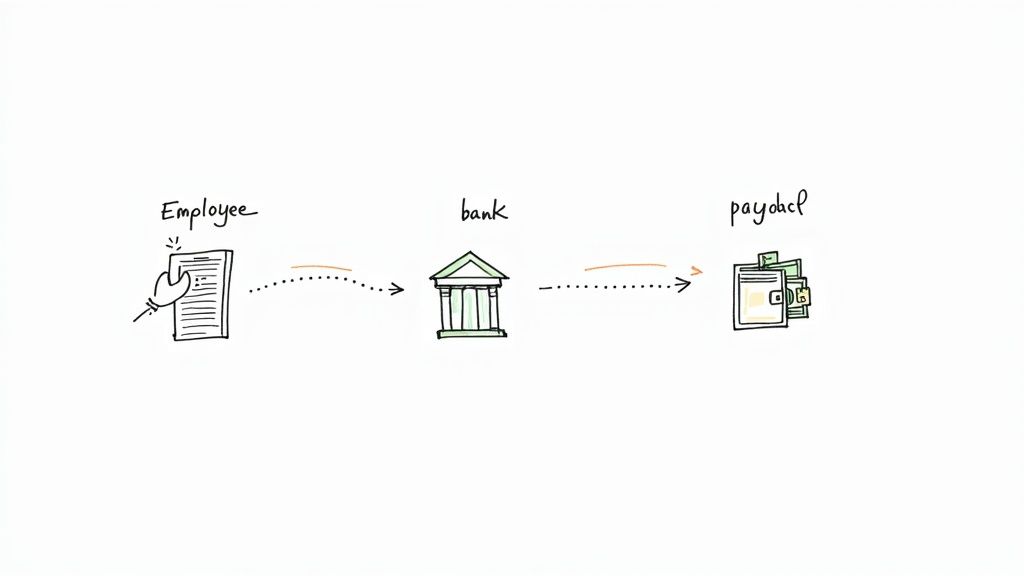
Think of the direct deposit form as the crucial link between your hard work and your bank balance. Getting this piece of paper filled out correctly from day one is the secret to a smooth, stress-free payday. It’s a simple permission slip that lets your employer transfer your wages electronically.
In today's world, this isn't just a convenience; it's the standard. A massive 95% of American employees get their pay through direct deposit, and for good reason—it just works.
The Modern Standard for Payroll
The days of waiting for a paper check are pretty much over. Companies and even government agencies have moved to electronic payments to boost security and cut down on waste. A physical check can get lost in the mail, stolen, or damaged, creating a real headache. An electronic transfer is far safer.
By filling out the direct deposit form, you're tapping into a much better system.
- It's fast. Your money is usually in your account on payday, so there's no need to rush to the bank.
- It's secure. You don't have to worry about a lost or stolen check, which can take weeks to sort out.
- It's reliable. You'll get paid whether you're on vacation, out sick, or working from home.
- It helps with budgeting. You can easily split your paycheck between different accounts to automatically build your savings.
For a company, a smooth payroll process is all about trust. For an employee, getting paid accurately and on time is the bedrock of financial security. This form is where those two critical needs come together.
Preparing for a Flawless Setup
Before you start filling out the form, take a minute to gather your banking information. The two most important details are your bank’s routing number and your personal account number. You need to get these exactly right. Even one wrong digit can send your paycheck to the wrong place or delay it for days.
Knowing what each field on the form is for will help you avoid these common mistakes. This guide will walk you through it, step by step, so you can fill out the form with confidence. Get this right, and your first payday—and every one after that—will show up right on schedule.
Finding Your Routing and Account Numbers
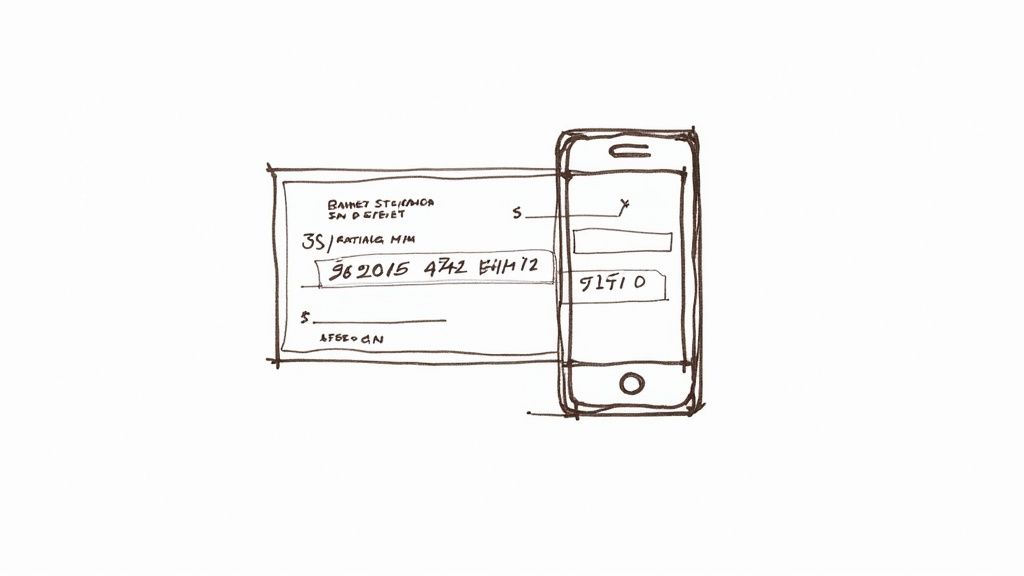
Let's get down to the most important part of the direct deposit form for employees: your bank's routing number and your personal account number. These two strings of digits are the coordinates for your paycheck. Getting them exactly right is absolutely critical—a single wrong number can send your hard-earned money into limbo.
Luckily, tracking them down is usually pretty simple.
Where to Look Online and on Paper
The fastest way for most people is to jump into their online banking portal or mobile app. Log in and look for a section like "Account Details" or "Account Information." Your routing and account numbers will almost always be listed front and center.
If you still have a checkbook, you’ve got the classic source right in your hands. Just look at the bottom of any check.
- Routing Number: That’s the nine-digit number on the bottom-left. It’s like the bank’s address.
- Account Number: This is the string of numbers right next to the routing number. This one is unique to your personal account.
- Check Number: The number on the far right is just the individual check's serial number. You can ignore this one.
Pro Tip: I always tell people to write down the numbers and then read them back to the screen or check, digit by digit. It sounds simple, but this one little step catches those tiny typos—like swapping a 3 for an 8—that can delay your paycheck for a whole pay cycle.
To make it even easier, here's a quick rundown of the best places to look.
Where to Find Your Routing and Account Numbers
| Method | What to Look For | Best For | Potential Pitfalls |
|---|---|---|---|
| Online Banking/App | "Account Details" or "Routing & Account Numbers" link after you log in. | Speed and convenience; no need to find physical documents. | You might have to click through a few menus to find it. |
| Paper Check | The line of numbers at the very bottom of the check. | A quick, tangible source if you have a checkbook handy. | Easy to misread or confuse with the check number. |
| Bank Statement | Usually printed in the top section with your personal information. | A reliable source if you receive paper or digital statements. | Not all banks include it, so you might have to hunt for it. |
| Bank Letter | A pre-filled, official document from your bank branch. | The most "official" proof for employers who require extra verification. | Requires a trip to the bank, which takes time. |
This table should help you quickly pinpoint the best method for your situation.
What If You Don't Have Checks?
A lot of us don't have a physical checkbook anymore, and that's perfectly fine. You have a couple of solid, modern alternatives for verifying your account.
Your best bet is often to get a direct deposit letter from your bank. Just pop into a local branch, and a teller can print one out for you on official letterhead in a few minutes. This document has everything your HR department needs and serves as official proof.
Another great option, especially if you're working remotely or need to get your paperwork done fast, is to use a secure online tool. For instance, you can use a voided check generator to create a professional-looking digital version of a voided check instantly. It’s a convenient way to get the documentation you need without leaving your desk.
Ultimately, it doesn't matter which path you take. The goal is the same: providing accurate, verified information so your direct deposit form gets processed without a hitch and your pay shows up on time, every time.
Getting the Form Filled Out—Without a Hitch

Alright, you've got your bank details in hand. Now comes the part where precision is key. Filling out the direct deposit form for employees is pretty simple, but you have to treat it like you're giving directions to a driver who has your money. One wrong turn, and your paycheck ends up lost.
Even a tiny typo, like swapping two digits in your account number, can lead to serious delays. So, let’s walk through the common sections of these forms to make sure every box you fill in is spot-on.
Employee and Bank Information
First up, you'll see the fields for your personal information. This part seems obvious, but it’s a frequent source of errors because the details must match what HR has on file exactly.
- Full Name and Address: Use your full legal name, not a nickname. The address should be the one you used when you were hired.
- Employee ID (if applicable): If your company is on the larger side, you likely have an employee ID. Make sure you include it if there's a spot for it.
Next, you'll move on to the bank details. Write out the full name of your financial institution, like "Wells Fargo" or "Capital One," not just the local branch name. Then, carefully enter the routing and account numbers you gathered earlier.
A common point of confusion is what to do with joint accounts. If the account is shared, just use your name—the person filling out the form. As long as your name is officially on the account, payroll won't have any issues.
Finally, you’ll need to specify the account type. Is it checking or savings? This is a critical detail. Marking the wrong one is a surefire way to have the transaction rejected by your bank.
Setting Up Multiple Accounts
Here’s a great perk of direct deposit: you can use it to automatically build your savings. Most modern forms let you split your paycheck between different accounts.
If your company’s form has this feature, you’ll see options for dividing up your pay. It usually works in one of two ways:
- Fixed Amount: Send a specific dollar amount to one account (say, $200 to savings) and have the rest deposited into your main checking account.
- Percentage Split: Allocate your paycheck by percentage (like 80% to checking and 20% to savings).
This is a ridiculously easy way to make every payday a step toward your financial goals. If the paper form you have doesn't offer splits, pop into your company's online payroll portal—the option is often waiting for you there.
The Final Authorization and Verification
The last piece of the puzzle is the authorization section. When you sign and date the form, you're giving your employer the green light to send money to the account you've listed. Your signature is also your guarantee that all the information is correct.
You’ll also need to attach proof that the account belongs to you. The standard is a voided check or an official bank letter. Just grab a blank check, write "VOID" across the front in big, clear letters, and attach it to your form. If you don't use physical checks, a direct deposit letter from your bank works just as well.
Once you’ve handed that over, you’re all set. The payroll team will take it from here to get your electronic payments flowing.
How Different Companies Handle Payroll Setup
Once your direct deposit form is complete, you need to get it into the right hands. But what does that actually look like? The truth is, the submission process varies wildly from one company to another, and it usually comes down to the size and tech-savviness of your new employer.
At a large corporation, expect a streamlined, digital experience. You'll likely be guided to a Human Resources Information System (HRIS) portal, such as Workday or ADP, to enter your banking details yourself. This method is quick, secure, and cuts down on the risk of human error since you're inputting the data directly.
Small Businesses and Startups
On the other hand, many small businesses and startups still do things the old-fashioned way. It's not uncommon to be handed a physical paper form on your first day. You'll fill it out by hand, staple your voided check or bank letter to it, and give it back to your manager or the person running payroll.
If this is your situation, take an extra minute to double-check everything. Make sure your handwriting is crystal clear and that every number is correct before you turn it in—a simple mistake here can definitely delay your first paycheck.
Remote and Hybrid Work Environments
For remote employees, the process is almost always entirely digital. Companies with a distributed workforce have to rely on secure, encrypted channels to handle sensitive information. You might be asked to use a dedicated onboarding platform, a secure document uploader, or an e-signature service like DocuSign to submit your form.
Physical paperwork just isn't practical in a remote setup. If you bank with a major institution like Bank of America, they make it easy to download a direct deposit letter or a pre-filled form right from your online account. We actually have a step-by-step guide on how to get a direct deposit form from Bank of America if you need a little help.
No matter the company's size or method, the goal is always the same: getting you paid accurately and on time. A smooth payroll process is a huge part of building trust and showing employees they're valued right from the start.
It's no surprise that electronic systems are taking over. Direct deposit is now the norm for 95.15% of Americans getting paid. Still, things can go wrong. Errors pop up in roughly 20% of all payroll cycles, and more than half of U.S. workers have dealt with a paycheck issue at some point.
Considering that 33% of employees have actually quit a job over payroll problems, companies have a massive incentive to get this right. You can read more about these payroll statistics and their impact and see why it's such a critical function for any business.
Keeping Your Financial Information Safe
Handing over your banking details requires a lot of trust. While your employer is responsible for protecting this sensitive data, you also have a part to play, especially during the setup process. The way you submit your direct deposit form for employees really matters.
Think of your account and routing numbers as the keys to your financial kingdom. You wouldn't just leave them out in the open, and you definitely shouldn't send them through an insecure channel.
How to Submit Your Form Securely
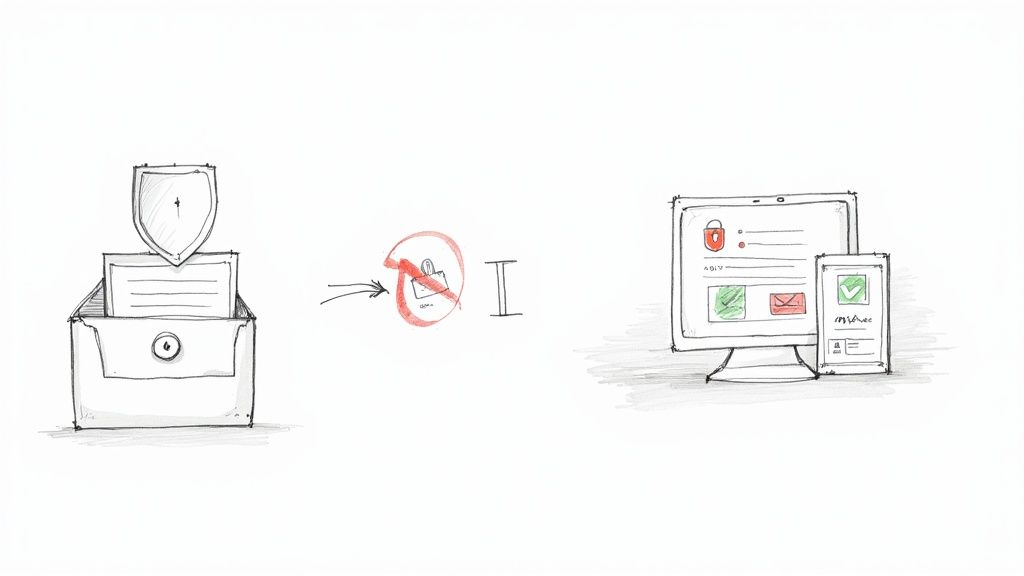
If your company has an internal HR or payroll portal, use it. Hands down, it's the most secure option. These systems are built with end-to-end encryption specifically to protect employee information. It’s the digital version of putting your form in a sealed envelope and handing it directly to the payroll manager.
What if there's no portal? If you have to use email, you need to be careful. Sending a standard, unencrypted email with your bank details is a huge risk—it’s like shouting your account numbers across a crowded room. Never, ever send this information via text or a social media message.
Here’s a quick rundown of the do's and don'ts:
- DO use the company’s secure HR portal if one is available. It's your best bet.
- DO ask about a secure link or encrypted email option if you can't use a portal.
- DON'T attach your completed form to a regular, unencrypted email.
- DON'T send your banking info over text, instant messenger, or while connected to public Wi-Fi.
A little context on why this matters so much: Treasury checks are 16 times more likely to be lost, stolen, or altered than electronic payments. This is exactly why direct deposit is so common, but it also shows why we need to nail the security during the initial setup to prevent fraud from day one.
Don't Forget to Verify Your First Paycheck
You’ve submitted the form, but you're not quite done. The last, and arguably most important, step is making sure that first direct deposit actually shows up correctly. Don't just cross your fingers and hope for the best—be proactive.
On your first payday after setting up direct deposit, log in to your bank account. Check to see if the payment has landed. The amount should match the net pay on your pay stub. It’s a simple five-minute check that can catch a mistake before it becomes a real headache.
If the money isn't there, don't panic, but do act fast.
- Look at Your Pay Stub: Your employer should give you a pay stub, either digitally or on paper. Make sure it says a direct deposit was issued.
- Get in Touch with HR or Payroll: Reach out to them right away. It could be a simple typo that was made during data entry or just a slight processing delay. The sooner they know, the faster they can fix it.
- Ask About Their Process: Sometimes, a company's policy is to issue the first paycheck as a physical check while the direct deposit details are still being verified. It's always a good idea to confirm this with HR.
Catching a problem on that first payday keeps it from happening again. By taking these straightforward security and verification steps, you can make sure your hard-earned money gets where it needs to go, safely and on time.
Answering Your Top Direct Deposit Questions
Even with a step-by-step guide, you're bound to have a few questions when setting up direct deposit. It's your money, after all, so getting it right is important. Here are the answers to the most common questions we see, straight from a payroll pro's perspective.
How Long Until My First Direct Deposit Hits?
This is, without a doubt, the number one question on every new employee's mind. The short answer? Expect it to take one to two pay cycles after you submit the form.
That waiting period isn't just for show. Your company's payroll team uses that time to run a "prenote" test. This is essentially a zero-dollar transaction they send to your bank account to make sure the routing and account numbers are correct and the account is active.
Because that test takes a few business days to complete, your first paycheck will likely be a physical, paper check. It’s a good idea to confirm the timeline with your HR or payroll manager when you hand in your paperwork so you know exactly what to expect.
Pro Tip: Don't stress if you get a paper check first. It’s a standard safety measure to ensure your money doesn't end up in limbo. It means the system is working to protect your pay.
Can I Split My Paycheck Between Different Accounts?
Yes, you absolutely can! Splitting your paycheck is one of the easiest ways to set up a "pay yourself first" savings plan without even thinking about it.
Most modern direct deposit forms have sections for multiple accounts. You can typically choose to send a flat amount (like $100) or a percentage of your net pay to each account. For instance, you could send 10% to savings and have the rest go to your main checking account.
If the form you were given doesn't have an option for splitting, don't give up. Check your company's online employee portal. Often, the digital version has more flexibility and allows you to easily set up and manage multiple deposit accounts.
What Happens if I Mess Up My Account Number?
It happens to the best of us. If you realize you've made a mistake on your form, the key is to act fast. Get in touch with your HR or payroll department the moment you notice the error.
If you catch it before they’ve run payroll, it’s usually a simple fix. If payroll has already been processed with the wrong info, the bank will likely reject the deposit and send the funds back to your employer. Your money isn't gone, but your payment will definitely be delayed.
In that situation, the company will typically cut you a paper check while you submit a new, corrected direct deposit form. The faster you communicate the issue, the faster they can get you paid.
Need a voided check to complete your direct deposit form but don't have a checkbook? VoidedCheck.org is a great resource that lets you create a professional, bank-grade voided check in seconds. You can get yours instantly at https://voidedcheck.org.
Related Articles

How to Get a Cancelled Check Your 2026 Guide
Need to know how to get a cancelled check for direct deposit or proof of payment? Discover easy methods from online banking to digital alternatives.

What Is a Bank Letter for Direct Deposit and How Do You Get One?
Unsure what is a bank letter for direct deposit? This guide explains its purpose, how to get one, and why it's a secure option for setting up payments.

Voided Check in Spanish A Clear Guide for Payroll and Banking
What is a voided check in Spanish? Learn how to write 'cheque anulado', get one without a checkbook, and set up direct deposit in the U.S. financial system.