
How to Set Up Direct Deposit The Right Way
Setting up direct deposit is pretty straightforward. You'll just need to fill out an authorization form from your employer, and have your bank's routing number and your personal account number handy. It's a simple, one-time setup that gets your money safely into your account on payday, giving you access to it right away.
Why Direct Deposit Is Your Best Financial Move

Making the switch from paper checks to direct deposit is more than just a small convenience—it's a serious upgrade for managing your money. I've seen countless employees breathe a sigh of relief once they're done with those stressful trips to the bank and the agonizing wait for a check to clear. With direct deposit, your money is simply there when you expect it, every single time.
This kind of reliability gives you the power to put your finances on autopilot. You can confidently schedule bill payments, savings transfers, and investments for your payday, knowing the funds will be there to cover them.
The Core Benefits of Going Digital
Beyond getting your cash faster, setting up direct deposit brings a bunch of practical advantages that genuinely make life easier and keep your hard-earned money safer.
Here’s what you really gain:
- Enhanced Security: A paper check can get lost, stolen, or forged. Direct deposit completely removes that risk. There's no physical document to fall into the wrong hands.
- Complete Reliability: Your payment is transferred electronically, so it can't get lost in the mail or held up by a holiday weekend. You can count on your money being there right on schedule.
- Simplified Record-Keeping: Every single payment is logged automatically on your bank statement. This creates a clean, easy-to-follow history of your income without needing to file away paper stubs.
- Financial Control: A great feature many employers offer is splitting your deposit across multiple accounts. This makes it incredibly easy to automatically funnel a set percentage of your paycheck directly into savings or an investment account.
The numbers speak for themselves. In the United States, over 80% of the workforce gets paid via direct deposit. It’s not a trend; it's the standard.
There’s a good reason it has become so common. It’s a secure and efficient process that’s been fine-tuned for decades—the federal government actually started using it for employees way back in 1975. This long track record across countless industries just proves how reliable it is. To see how electronic payments have evolved globally, you can find some fascinating research from The World Bank.
Let's break down the key differences between the old way and the new way.
Direct Deposit vs Paper Check At a Glance
Here’s a quick comparison that highlights why so many people have made the switch.
| Feature | Direct Deposit | Paper Check |
|---|---|---|
| Speed | Funds available on payday | Can take several days to clear |
| Security | Encrypted, secure transfer | Risk of theft, loss, or fraud |
| Convenience | Automatic, no action required | Requires physical deposit at bank/ATM |
| Reliability | Consistent, unaffected by mail delays | Can be delayed by mail, holidays, weather |
| Record-Keeping | Automatic digital record | Requires manual tracking of pay stubs |
Ultimately, choosing direct deposit streamlines your financial life, giving you more security and control over your money from the moment you earn it.
Get Your Banking Details Ready in Minutes
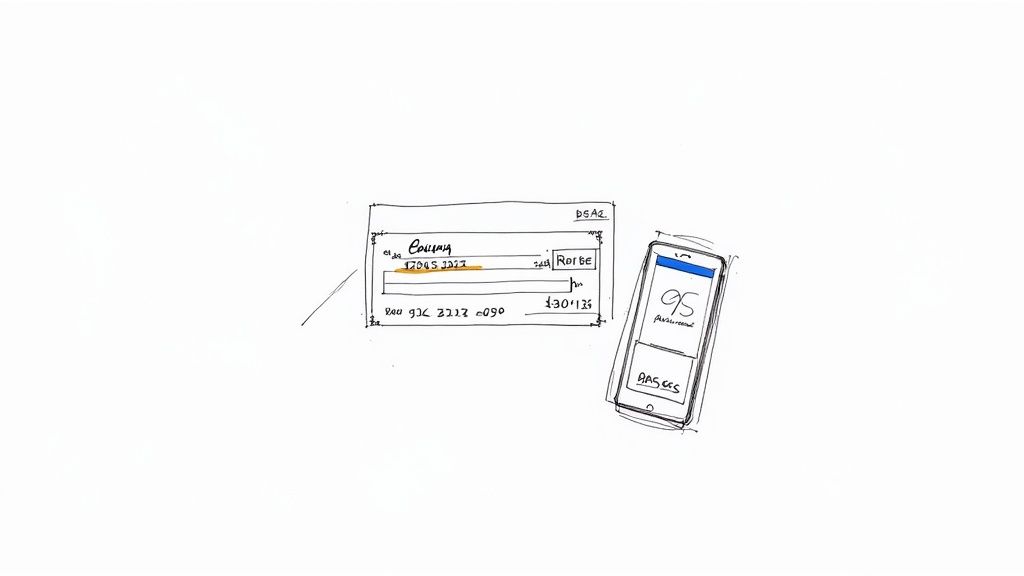
Before you even think about filling out a form, the first thing to do is gather your banking information. Trust me, getting these numbers right from the start is the secret to a headache-free setup. You only need a couple of key details to make sure your paycheck lands exactly where it's supposed to, on time.
Think of it this way: your routing number is like your bank's ZIP code, and your account number is the specific street address for your money. Your employer’s payroll system needs both to get it right.
Finding Your Routing and Account Numbers
You’ve got a few easy ways to track down your routing and account numbers, so just pick whichever is most convenient. The classic method, of course, is to look at a paper check.
If you have a checkbook, grab one and look at the very bottom. You'll see a string of numbers printed in that special magnetic ink.
- Routing Number: This is the nine-digit number on the far left. It's the one that identifies your bank.
- Account Number: This is the set of digits right next to the routing number. The length of this number can vary from bank to bank.
- Check Number: This is the shorter number on the far right—you can ignore this one for direct deposit.
A Quick Pro Tip: I've seen this trip people up before. Some banks, especially the big national ones, use different routing numbers for different types of transactions. You want the one designated for ACH or Direct Deposit, which is almost always the one printed on your checks. If you see an option for "wire transfers," that's not the one you need here.
Your Digital Options for Finding Bank Details
What if you don't have paper checks? No problem. Your banking information is just a few clicks or taps away, and this is honestly the fastest and most foolproof way to get it.
You can find your numbers in a snap by:
- Logging into your mobile banking app. Most apps show your full account and routing numbers right in the account details section. It’s usually pretty prominent.
- Accessing your online banking portal. Hop on your bank's website from a computer. Once you log in, you can typically find this info on your main account summary page.
- Checking an online bank statement. Your monthly PDF statements will always have your full account and routing numbers printed on them, usually near the top.
Personally, I always recommend using the app or online portal. It completely removes the risk of a typo and ensures you have the exact routing number meant for electronic deposits.
What If You Don't Have a Physical Check to Void?
It's pretty common these days for people not to have a physical checkbook, but some employers still ask for a "voided check" to verify your account info. If that's your situation, you have a couple of solid alternatives.
You could go to your bank and ask for a direct deposit letter (sometimes called a counter check). This is an official document from the bank with all the necessary details, and it works perfectly.
But for an even faster solution, you can use an online tool. If you need a properly formatted voided check on the spot, a secure voided check generator can create one for you in less than a minute. You just plug in your account details and it does the rest.
Finalizing Your Information Checklist
Okay, before we move on, let's do a quick final check. Having everything organized and ready to go will make filling out the actual authorization form a total breeze.
Your Direct Deposit Toolkit:
- Bank's Full Name: Make sure you have the official name (e.g., "Chase Bank, N.A." not just "Chase").
- Account Type: Is it a Checking or Savings account?
- Routing Number: The nine-digit number for ACH transfers.
- Account Number: Your specific account identifier.
Once you have these four pieces of information confirmed and jotted down, you're all set for the next step.
Getting Your Direct Deposit Form Filled Out Right
https://www.youtube.com/embed/IKDsxw3Ryx4
Okay, you've got your banking details ready. Now it's time to tackle the direct deposit authorization form itself. This simple document is your direct line to your employer's payroll system, telling them exactly where your hard-earned money should go.
While the design might vary a bit from one company to the next, they all ask for the same core information. Getting it right the first time is the key to avoiding any payday hiccups and making sure your money lands where it's supposed to, right on schedule.
A Quick Tour of the Direct Deposit Form
Let's walk through the different fields you'll typically find on one of these forms. Don't stress if your company's version looks slightly different—the fundamentals are always the same. Since you already have your info handy, this part should only take a few minutes.
Most forms are split into three logical parts: your personal details, your bank's information, and your signature giving the green light.
Direct Deposit Form Field Breakdown
To make it even clearer, here's a detailed breakdown of the common fields you'll encounter and what, exactly, you need to put in each one.
| Form Field | What to Enter | Where to Find It |
|---|---|---|
| Employee Information | Your full legal name, home address, and sometimes an employee ID. | Make sure this matches your official employment records. |
| Bank Name | The official, full name of your bank or credit union. | Find this on your bank statement or right in your mobile app. |
| Account Type | Simply specify if it's a Checking or Savings account. | Your personal banking records will show this. |
| Routing Number | The nine-digit number that acts as your bank's address for wire transfers. | Look at the bottom of a check, in your banking app, or on an official bank letter. |
| Account Number | This is the unique number for your specific account. | Also found at the bottom of a check, in your app, or on a bank letter. |
| Deposit Amount/Percentage | How much of your net pay you want to go into this account. | You decide this. It could be "100%" or a specific dollar amount. |
My biggest piece of advice here? Accuracy is everything. A single typo in your account or routing number is the number one reason direct deposits fail. I always tell people to double-check the numbers against their banking app or an official document instead of relying on memory. It’s a simple step that saves a lot of headaches.
Supercharge Your Savings by Splitting Your Deposit
One of the most overlooked but powerful features of direct deposit is the ability to split your paycheck across multiple bank accounts. This is a game-changer for automating your financial goals. Instead of waiting for your paycheck to hit and then manually moving money around, you can have your employer do the heavy lifting for you.
For instance, you could set it up to:
- Send 80% of your paycheck to your main checking account to cover bills and everyday expenses.
- Automatically funnel the other 20% directly into a high-yield savings account for your emergency fund or that vacation you've been planning.
This is the "pay yourself first" strategy in action. By automating your savings, you essentially remove the temptation to spend that money, which is a foolproof way to build wealth consistently without any extra effort. If your company's form allows for multiple accounts, I highly recommend taking advantage of it.
Why Do They Still Ask for a Voided Check?
You've filled out the form perfectly, but HR might ask for one more thing: a voided check. In a digital world, this can feel a little old-school, but it serves a crucial purpose. It’s all about verification.
A voided check gives payroll a physical, bank-verified confirmation of the routing and account numbers you provided. It’s a simple, effective backup to prevent typos and ensure the details are 100% accurate, protecting both you and the company from payment errors.
To void a check correctly, just grab a blank one from your checkbook and write "VOID" in big, clear letters across the front. Use a pen, and be careful not to write over the important numbers at the bottom. That's all there is to it—don't sign it or fill out any other part of the check.
A voided check can't be cashed or used for payment. Its only job is to securely confirm your banking info for setting up electronic transfers.
Modern Workarounds for the Voided Check
Let's be realistic—a lot of people don't even have a checkbook anymore. So what happens when you're asked for a voided check you can't provide? Luckily, most companies now accept several modern alternatives that get the job done just as well.
Here are your best options:
- Get a Direct Deposit Letter From Your Bank: You can usually download one of these right from your online banking portal or just ask for one at a branch. It’s an official document on bank letterhead that lists your name, account number, and routing number.
- Use a Pre-Filled Bank Form: Many banking apps have a "Set Up Direct Deposit" tool that generates a ready-made PDF with all your info. You can just send this directly to your employer.
- Generate a Digital Voided Check: For the fastest solution, a tool like VoidedCheck.org can create a professional, compliant digital voided check in less than a minute. You just type in your verified account details, and it generates a perfect digital version you can submit electronically.
No matter which route you take, the goal is always the same: give your employer clear and correct account details. It's always a good idea to quickly check with your HR or payroll team to see which of these alternatives they prefer.
What Happens After You Submit the Form
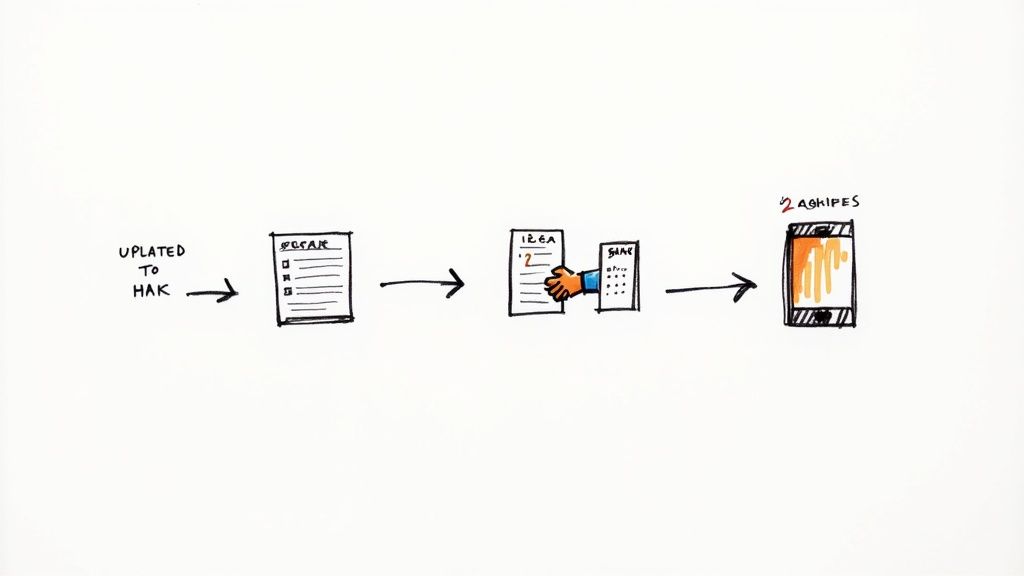
You’ve double-checked the numbers, signed on the dotted line, and handed over your form. So, what now? This is where a little patience goes a long way. Many people think direct deposit flips on like a switch, but there’s a critical verification process happening behind the scenes that takes time.
Whether you used a secure online portal or handed a paper form to HR, the next move is a digital handshake between your employer's payroll system and your bank. It’s not just about typing in your account number; it’s about making sure the connection is solid and accurate before your hard-earned money starts flowing through it.
Understanding the Activation Timeline
Once the payroll team gets your information, they don't just flip a switch. They kick off a test run called a prenotification, or "prenote." Think of it as your employer sending a zero-dollar transaction to your bank account.
This simple test is surprisingly important. It confirms two key things:
- The account and routing numbers you provided are actually valid.
- The account is set up to receive electronic ACH transfers.
This prenote step is a safety net, really. It’s designed to catch typos and prevent your paycheck from getting lost in cyberspace. It's also the main reason your direct deposit usually doesn't start with the very next paycheck.
The standard timeframe for direct deposit to become active is one to two full pay cycles. Don't panic if you get another paper check after submitting your form—this is completely normal and means the system is working as it should.
My advice? Plan for this brief waiting period. Don't change your routine of cashing a paper check until you see that first direct deposit officially land in your account. It also never hurts to send a quick follow-up email to HR or payroll a few days after you submit the form, just to confirm they received it and are processing it. That little bit of confirmation can offer great peace of mind.
The Journey of Your Paycheck
The way we handle payments has come a long way. The setup process for direct deposit is far easier today, thanks to modernized payment systems. In fact, real-time payments are now a reality in more than 70 countries, a testament to how financial technology is evolving. You can get a deeper look into how payment systems are advancing at Mercer Capital.
Once everything is up and running, here’s a simplified look at how your money gets to you on payday:
- Payroll Finalized: A day or two before your payday, your employer finalizes payroll and sends the payment file to their bank.
- ACH Network: The bank pushes these payment instructions through the Automated Clearing House (ACH) network—the secure financial highway for most electronic transfers in the U.S.
- Bank Processing: The ACH network directs the payment to your specific bank.
- Funds Deposited: Your bank gets the instruction and credits your account, making the money available to you on your scheduled payday.
Keeping Your Information Secure
Throughout this entire process, your financial data is heavily protected. When you submit your form through an HR portal, for example, that information is encrypted to shield it from prying eyes. Your employer is legally obligated to handle your sensitive personal information with strict confidentiality.
After you're all set up, make it a habit to check your first few pay stubs and bank statements. Just confirm the deposit amount is correct and matches what you were expecting. This final check ensures everything is working perfectly so you can start enjoying the convenience and security of getting paid automatically.
Solving Common Direct Deposit Issues
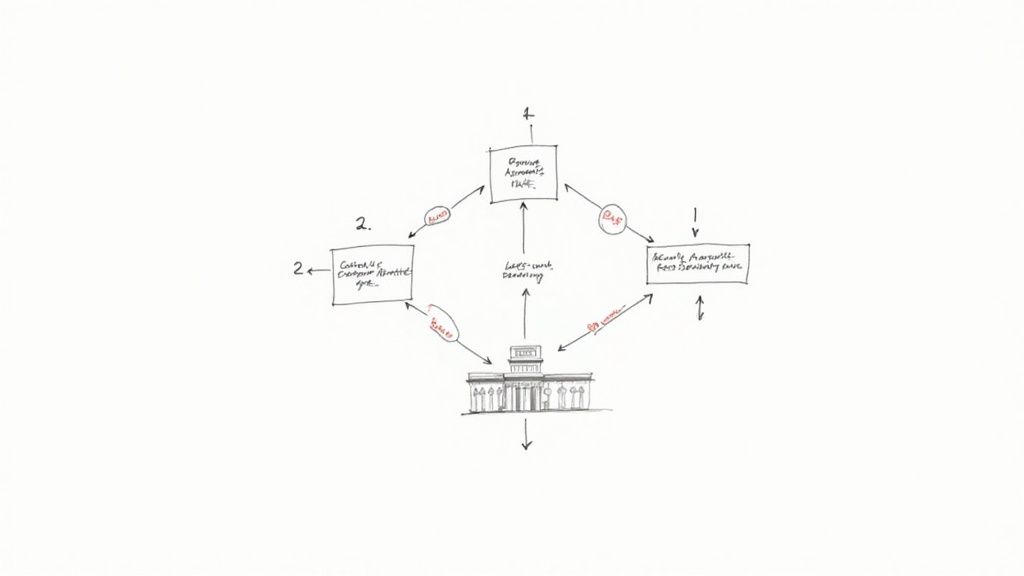
Even when you do everything right, things can still go sideways. A missing deposit or an incorrect amount can be incredibly stressful, but the good news is that most of these problems are easy to fix.
The key is to act fast and avoid panic. In nearly every case, your first call should be to your company's HR or payroll department. They’re the ones with a direct line into the payment system and can see what’s going on behind the scenes.
Your Paycheck Is Late or Missing
It's payday. You check your bank account, and… nothing. It’s a gut-wrenching feeling, but there's usually a simple explanation. Before jumping to conclusions, run through a quick mental checklist. Is it a bank holiday? Sometimes that can push a deposit back by a day. Are you certain about the official payday?
If everything checks out and the money is still MIA, it's time to take action.
- Contact HR or Payroll Right Away: Let them know your deposit hasn't landed. They can immediately check if the payment was sent and confirm the account details they used.
- Request the ACH Trace Number: If payroll confirms they sent the money, ask for the ACH trace number. Think of it as a tracking number for your paycheck. It’s a unique code that allows your bank to follow the transaction through the system.
- Call Your Bank with the Trace Number: With that number in hand, call your bank. Their customer service team can use it to pinpoint the transaction and tell you exactly where it is and when it should post to your account.
Following these steps usually clears things up quickly. More often than not, it's just a minor processing delay that can be easily resolved.
The Deposit Amount Is Incorrect
You see the deposit, but the number is off. It’s less common than a delay, but it happens. The cause could be anything from a one-time bonus (or deduction) to a simple payroll error. Don’t waste time trying to figure it out on your own.
Your pay stub is your best friend in this situation. It provides a detailed breakdown of your gross pay, taxes, and any deductions for benefits or retirement contributions. Always compare it to the deposited amount before taking further action.
When you reach out to payroll, have that pay stub ready. You can say something like, "My pay stub shows a net pay of $1,850.50, but the deposit I received was for $1,750.50." Giving them the exact numbers helps them investigate efficiently and issue a correction if needed.
You Realized You Entered the Wrong Account Number
That sinking feeling when you realize you typed a number wrong is real, and it’s a mistake you need to jump on immediately. What happens next depends on where the money went.
- If the account number doesn't exist: You're in luck. The bank will reject the transfer, and the money will bounce back to your employer. They’ll likely cut you a paper check while you submit the corrected form.
- If the account number belongs to someone else: This is more complicated. Your employer has to initiate a formal reversal to claw the funds back, which isn't always instant.
The moment you realize the error, tell HR. The faster you act, the greater the chance they can stop the payment before it even goes out. Quick communication is everything. In fact, timely and reliable payments are a huge factor in financial stability. A recent J.D. Power study found that dependable direct deposits were a major driver of customer satisfaction—you can check out more about how payment reliability impacts banking satisfaction from J.D. Power.
How to Update Your Direct Deposit When You Switch Banks
Switching banks is a common reason to update your direct deposit. The process itself is simple: just fill out a new direct deposit form from your employer with your new bank’s details and submit it.
But here’s a pro tip I always give people: Do not close your old bank account right away.
Keep it open with a few dollars in it until you see your first paycheck successfully land in your new account. It can take one or even two pay cycles for the change to fully process. This little bit of overlap acts as a safety net, ensuring your money doesn't get sent to a closed account and end up in limbo. It’s a simple step that guarantees you have uninterrupted access to your hard-earned money.
Answering Your Top Direct Deposit Questions
As we wrap up, let's tackle some of the common questions that always seem to come up when setting up direct deposit. Getting these final details ironed out will help you feel completely confident in the process.
Think of this as the final check-in before you’re all set. We'll cover everything from security concerns to timelines and what to do if you don't use a traditional bank.
Is It Safe to Provide My Bank Details Online?
This is easily the number one concern I hear, and for good reason. The short answer is yes, it's very safe, but only when you go through the proper channels. Your employer's secure HR portal uses heavy-duty encryption—the same technology your own bank relies on—to scramble and protect your information as it travels online.
To keep your data locked down, just follow a few common-sense rules:
- Always use a secure network. Never, ever submit financial forms while on public Wi-Fi at a coffee shop or airport. Stick to your home or a trusted network.
- Verify the source. Only enter your details into an official company portal or hand them directly to a trusted HR or payroll representative.
- Look for the lock. Any website where you enter sensitive data should start with "httpss://" in the address bar. That 's' is your signal that the connection is secure and encrypted.
These simple habits make a massive difference in keeping your information safe.
Security is a huge deal for both companies and government agencies. For example, the Social Security Administration constantly upgrades its identity-proofing requirements and uses instant bank verification services to shut down fraud before it starts.
How Quickly Can I Change My Direct Deposit Information?
If you're updating your direct deposit because you switched banks, you can expect the same timeline as a brand-new setup. It will almost always take one to two pay cycles for the change to be fully processed and active.
That slight delay isn't just red tape; it gives your company's payroll system and the banks time to run a small test transaction. This pre-note test is what confirms the new account is valid and prevents your hard-earned money from vanishing into a closed or incorrect account. And remember my earlier tip: keep your old bank account open until you see that first paycheck land successfully in your new one.
What If I Don't Have a Traditional Bank Account?
Plenty of people don't have a traditional checking or savings account, but that doesn't mean direct deposit is off the table. You actually have some great alternatives that work just as well.
Here are a couple of popular options:
- Prepaid Debit Cards: Many major providers, like Visa or Mastercard, offer prepaid cards that come with their own routing and account numbers, specifically for direct deposit. Your paycheck gets loaded right onto the card, and you can use it for purchases, bill payments, or ATM withdrawals just like a regular debit card.
- Payment Apps: Services you might already use, like PayPal or Cash App, can often receive direct deposits. They’ll provide you with the routing and account numbers your employer needs to get you set up.
These digital-first solutions are becoming the norm. Even the IRS is phasing out paper checks for tax refunds, pushing everyone toward an electronic option. It’s a clear sign of where personal finance is heading.
Can My Employer Force Me to Use Direct Deposit?
This is a great question, and the answer depends on where you live. Federal law allows employers to require direct deposit, but with a key condition: you must be able to choose which bank your money goes to. However, some states have their own rules that might require employers to offer an alternative, like a paper check or a payroll card.
If you have any concerns or just prefer another method, the best thing to do is have a quick, friendly chat with your HR department. They can explain your company's policy and fill you in on any state-specific laws that apply.
For a deeper dive into common financial questions, you can find more articles and practical tips on the VoidedCheck.org blog. Knowing all your options is the best way to manage your money in a way that truly works for you.
Ready to set up your direct deposit but don't have a physical checkbook? VoidedCheck.org creates a professional, compliant voided check for you in under 60 seconds. Our secure, bank-grade service is guaranteed to be accepted, saving you a trip to the bank and getting you paid faster. Generate your voided check now.
Related Articles

How to Get a Cancelled Check Your 2026 Guide
Need to know how to get a cancelled check for direct deposit or proof of payment? Discover easy methods from online banking to digital alternatives.

Use A Check Creator Online To Void Checks
Need a voided check for payroll? Use a check creator online to generate a secure, compliant voided check in minutes. Get started now and skip the bank trip.

7 Onboarding documents for new hires You Should Know
Discover the top 7 onboarding documents for new hires strategies and tips. Complete guide with actionable insights.