
How to Set Up Recurring Payments and Automate Your Bills
Staring at a pile of bills can feel pretty overwhelming. But what if you could put most of them on autopilot? That's what this guide is all about: showing you exactly how to set up recurring payments so you can save time, avoid late fees, and just generally simplify your financial life.
We'll cover everything from gathering the right financial details to choosing the best method—whether that's ACH, credit card autopay, or something else—and getting everything authorized with the service provider.
Why Automated Payments Are a Financial Game-Changer
Let's be honest, the days of sitting down with a checkbook and a stack of stamps are pretty much behind us. Setting up recurring payments has moved from a "nice-to-have" convenience to a core part of smart financial management, both for our personal lives and for businesses. It’s a fundamental shift in how we handle our money.

For individuals, automation just makes sense. It brings a welcome dose of predictability to your budget. Think about all the things you already pay for each month:
- Subscriptions: All those services like Netflix, Spotify, and your gym membership are built on automatic billing.
- Essential Bills: Your mortgage or rent, car payment, and utility bills can all be set to a predictable schedule.
- Savings Goals: You can even use automation to "pay yourself first" by scheduling recurring transfers to a savings or investment account.
This “set it and forget it” approach is powerful. It ensures you never miss a due date, which is great for protecting your credit score and sidestepping those frustrating late fees. Budgeting becomes less of a chore and more of a seamless background process.
The Business Case for Automation
For businesses, the benefits are even more significant. Predictable revenue is the lifeblood of any company, especially if you're running on a subscription or retainer model. Nobody wants to spend their days chasing down invoices—it's a massive time sink and leads to unreliable cash flow.
By putting a solid system for recurring payments in place, a business can:
- Improve Cash Flow: Revenue comes in on a consistent, predictable schedule you can count on.
- Reduce Administrative Overhead: Your team spends less time sending payment reminders and manually processing checks.
- Boost Customer Retention: A smooth, frictionless payment process reduces customer churn that happens simply because of a forgotten or failed payment.
This isn't just a niche trend; it's a massive global shift. The recurring payments market was valued at around USD 182.06 billion in 2025 and is on track to hit USD 261.36 billion by 2029. You can read more about the market's growth trajectory to see just how big this is.
This is about more than just making life a little easier. It's about building a more stable financial foundation. Whether you’re managing your household bills or running a company, getting a handle on automated payments gives you more control, predictability, and peace of mind.
Throughout this guide, we'll walk through the practical steps to get your finances on autopilot. We’ll start with the basics: gathering the right information and picking the payment method that fits your needs.
Your Pre-Payment Setup Checklist
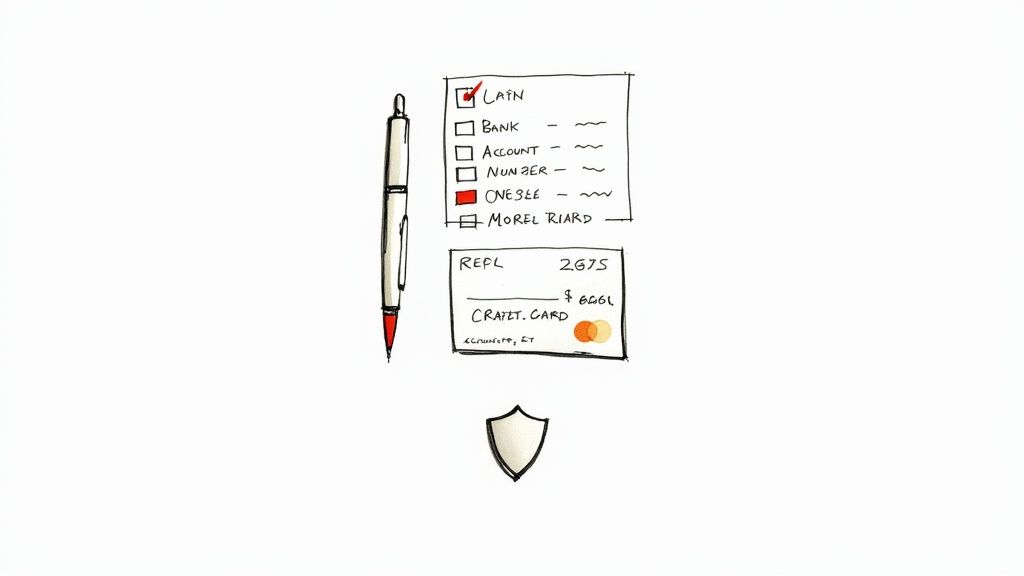
Before you dive into setting up automatic payments, it pays to do a little prep work. Think of it like gathering your ingredients before you start cooking—having everything on hand makes the whole process faster and a lot less frustrating.
There’s nothing worse than getting halfway through a form only to realize you have to go digging for a bank statement or your checkbook. Let’s walk through exactly what you’ll need for the most common payment methods, so you can get it all done in one shot.
Gathering Bank Details for ACH & Direct Deposit
When you’re setting up direct deposit for your paycheck or authorizing an automatic withdrawal for your mortgage or rent, you’ll likely be using the Automated Clearing House (ACH) system. It’s essentially a direct line to your bank account, and for that, you need two key pieces of information.
- Routing Number: This is a nine-digit number that acts like your bank’s unique address in the financial system.
- Account Number: This is the specific number assigned to your account at that bank.
The quickest way to find both is to look at a paper check. The routing number is the first set of digits on the bottom-left, with your account number typically right next to it. No checkbook? No problem. You can almost always find these details by logging into your online banking portal or checking a recent bank statement.
Sometimes, a company will ask for a voided check as proof of account ownership. If you’ve gone paperless, this can feel like a roadblock. Instead of waiting weeks for a new checkbook to arrive, you can create a perfectly valid voided check image online. Using a voided check generator is a fast, secure way to get exactly what you need in seconds.
What You'll Need for Card Payments
For things like streaming services, gym memberships, and online subscriptions, paying with a credit or debit card is usually the go-to. The setup is generally quicker than ACH because all the required info is right there on the plastic in your wallet.
Here’s your quick checklist for card payments:
- Card Number: The long 15- or 16-digit number across the front.
- Expiration Date: The month and year your card expires (look for the MM/YY format).
- Security Code (CVV): The three- or four-digit code used for verification. It’s on the back for Visa, Mastercard, and Discover, and a four-digit code on the front for American Express.
- Billing ZIP Code: The postal code connected to your card’s billing address, which is often used as a final verification step.
Pro Tip: When you get a new card in the mail, immediately set a calendar reminder for one month before it expires. This gives you a heads-up to update your payment info across all your recurring bills, helping you dodge failed payments and potential late fees.
Keeping Your Financial Information Secure
As you get ready to provide this information, remember how sensitive it is. Security isn't just a buzzword; it’s a critical part of the process.
Whether you're on a website or giving details over the phone, take a moment to be sure your connection is secure. Online, always look for "https" in the web address and the little padlock icon in your browser bar. This confirms the site is encrypted, scrambling your data so it can't be intercepted.
And a word of caution: never send your bank or card details through standard email or a text message. Taking these small but crucial steps ensures your automated payments are not only convenient but also safe.
A Practical Walkthrough of Payment Setups
Alright, you've got your financial info in order. Now for the fun part: putting it all into action. This is where we shift from theory to practice, walking through exactly how to set up recurring payments in a few common situations. We’ll look at this from both a personal and business angle, cutting through the jargon so you can get things done.
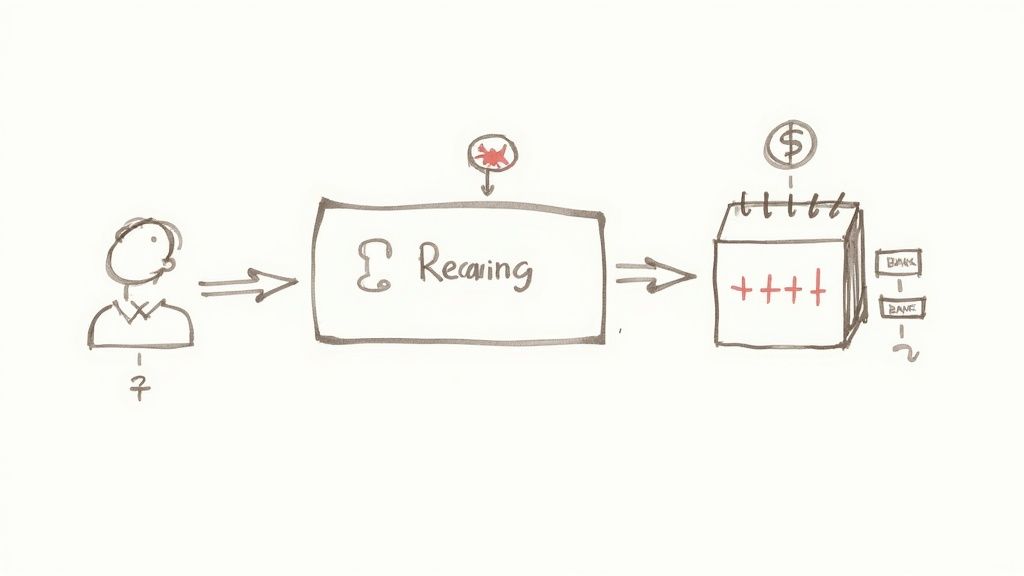
The idea here is to show you not just what to click, but how these systems actually work day-to-day. Whether you're automating your rent payment or managing a dozen client retainers, the core concepts are the same, even if the specific steps change.
Let’s dive into some real-world examples.
For Individuals Setting Up Personal Payments
When it comes to your personal finances, the goal is simple: convenience and consistency. You want your bills paid on time without having to think about them, freeing up mental space and—more importantly—avoiding those annoying late fees.
One of the best tools for this is already at your fingertips: your bank's online portal. Most banks have a pretty powerful bill pay service that puts you in the driver's seat.
Scenario A: Your Monthly Rent or Mortgage Payment
Let's say your rent or mortgage is $1,500, due on the first of every month. Instead of remembering to write a check or initiate a transfer, you can set it and forget it.
Here’s how it usually works:
- Log into your online banking and find the "Bill Pay" or "Payments" section. It's almost always a main tab.
- Add a new payee. You'll need to enter the name of your landlord or mortgage company. For big companies, you often just need the name and your account number; for a smaller landlord, you might need their mailing address.
- Schedule the payment. This is the key part. You'll input the amount ($1,500), set the frequency to monthly, and pick a start date. Pro tip: Always set the payment to go out a few business days before the actual due date. This gives it plenty of time to process.
- Choose the funding account—typically your checking account.
- Review and confirm. Give everything a final once-over to make sure the date and amount are correct, then hit confirm. Your bank will now handle sending the payment automatically each month.
Key Takeaway: Using your bank's bill pay feature centralizes your control. You can manage all your recurring payments from a single dashboard, making it a breeze to track, adjust, or cancel them without logging into a dozen different websites.
Scenario B: Authorizing a Gym Membership
For things like a gym membership or a streaming service, the process is a bit different because the merchant initiates it. When you sign up, you’re giving them permission to pull the money.
Behind the scenes, this is what’s happening:
- You enter your credit or debit card info into their secure payment form.
- You agree to their terms, which legally authorizes them to charge your card a set amount (like $49.99) on a recurring schedule (monthly).
- Their payment processor then securely stores your information (usually as a “token” for security) and automatically triggers the charge on the scheduled date each month.
For Businesses Managing Recurring Revenue
If you’re running a business, recurring payments are all about creating predictable cash flow and slashing your administrative workload. Instead of wasting time chasing down invoices, you set up an automated system to bill clients on a fixed schedule.
The two go-to methods are direct bank transfers (known as ACH) and using a payment processor for credit card subscriptions.
Scenario C: A Marketing Agency's Monthly Retainer
Imagine your agency has a client on a $2,000 monthly retainer. Sending and following up on that invoice every 30 days is a drag. Setting up a recurring ACH debit is a far smarter way to work.
To do this legally and correctly, you need the client's explicit permission, which is gathered using an ACH Authorization Form. This is the document that gives you the green light to pull funds directly from their bank account.
- First, you send the client an ACH Authorization Form. This form has to clearly spell out the payment amount, frequency, and all the terms. No surprises.
- The client fills it out with their business name, routing number, and account number. If they need help finding that info, a resource like this guide on bank routing numbers and account details can be really helpful.
- You then take that information and enter it into your payment system, whether that's accounting software like QuickBooks or a dedicated ACH processor.
- On the agreed-upon date each month, the system automatically debits the client's account for $2,000.
This is a hugely popular method for B2B transactions because the fees are incredibly low compared to credit cards. A 2.9% credit card fee on $2,000 is $58, whereas the ACH fee might only be a dollar or two. That adds up.
Scenario D: A SaaS Company's Subscription Tiers
If you're running a Software-as-a-Service (SaaS) business, you could be juggling hundreds or even thousands of subscriptions at various price points. This is where a dedicated payment processor like Stripe, Braintree, or Chargebee isn't just nice to have—it's essential.
These platforms are purpose-built to handle the headaches of subscription billing:
- Plan Creation: You set up your different subscription tiers right in their dashboard (e.g., Basic Plan at $29/month, Pro Plan at $79/month).
- Customer Signup: When a customer signs up on your site, they enter their card details into a secure payment gateway powered by your processor.
- Automated Billing Logic: The processor takes over from there. It charges the customer on the right schedule, handles prorated charges if they upgrade or downgrade mid-cycle, and sends out automatic receipts.
- Dunning Management: What if a card expires? The system automatically retries the charge a few times and sends emails to the customer prompting them to update their payment info. This process, called "dunning," is a lifesaver for reducing churn.
This level of automation is possible because people are more comfortable than ever with subscriptions. These setups aren't just a trend; they're becoming the standard way to do business online.
Signing Off On Your Recurring Payment Agreement
Giving a business the green light to take money from your account regularly is a matter of trust. Before that first dollar is ever withdrawn, there's a crucial step that protects both you and the merchant: the authorization agreement. This isn't just a bit of paperwork; it’s a clear, documented understanding of exactly how, when, and how much you'll be charged.
Think of it as the official rulebook for your automated payments. It’s designed to make sure everyone is on the same page and to prevent any nasty surprises later on. A legitimate authorization is always upfront and transparent, laying out every detail of the payment arrangement.
At a minimum, a solid agreement will spell out:
- The exact payment amount that will be charged each time.
- The frequency of the payments (e.g., monthly, every two weeks, annually).
- The start date for the first payment and, if there is one, an end date.
- Simple, clear instructions on how to cancel the payments.
Without this documented consent, a business simply has no legal right to pull funds from your account. This step is the foundation of any ethical and lawful recurring payment setup.
How Businesses Make Sure Your Account Info is Correct
Okay, so you’ve handed over your bank or card details and signed off on the terms. What's next? The merchant has to double-check that the information is accurate and that the account is really yours. This verification step is a big deal—it’s what prevents failed payments, stops fraud in its tracks, and saves everyone a major headache.
Businesses have a few go-to methods for this, and the one they choose usually depends on whether you're using a bank account (ACH) or a credit card, as well as the tech they have on hand. No matter the method, the goal is always the same: make sure the first payment goes through without a hitch.
Verification is the financial world's version of "measure twice, cut once." It catches things like a typo in an account number before it causes a payment to bounce, which saves a ton of time and frustration for both sides.
The Old-School Method: Micro-Deposits
One of the most tried-and-true ways to verify a bank account, especially for ACH transfers, is with micro-deposits. If you’ve ever linked your bank account to PayPal, you’ve probably been through this process.
It’s a pretty simple two-step, though it does require a little patience.
- The company will send two tiny, random deposits—we're talking just a few cents each—to the bank account you provided.
- It usually takes 1-3 business days for these little deposits to show up.
- Once they do, you'll log into your online banking, jot down the two amounts, and pop back over to the merchant's site to enter them.
- If the numbers match, your account is officially verified, and the recurring payments can start as planned.
While this method is rock-solid, the waiting period is its biggest drawback. Your first scheduled payment is on hold until you complete the verification, which can sometimes delay the start of a service.
The Modern Way: Instant Account Verification
To get rid of that waiting game, many businesses now use Instant Account Verification (IAV). These services, often powered by well-known providers like Plaid or Finicity, create a secure, direct link to your bank for a split-second confirmation.
Instead of waiting days for micro-deposits, everything happens in real-time. You'll see a pop-up window asking you to log into your online banking through a secure portal right on the merchant's website. This action gives the IAV service temporary, read-only permission to confirm your account and routing numbers are valid and that the name on the account is a match.
It’s easy to see why this is quickly becoming the new standard. It’s not just faster—verification is over in seconds—but it's also more secure. You never actually give your bank login details to the merchant; a trusted third-party handles the digital handshake. This instant confirmation means your recurring payment schedule can be activated on the spot, making for a much smoother start.
Managing Your Automated Payments Securely
Handing over your financial details for recurring payments is a big deal. It requires a lot of trust. As you get automated billing set up, it’s smart to build some practical security habits to protect yourself from fraud and feel confident in the system you’re using. Whether you're a customer paying a monthly bill or a business managing subscriptions, security is everyone's job.
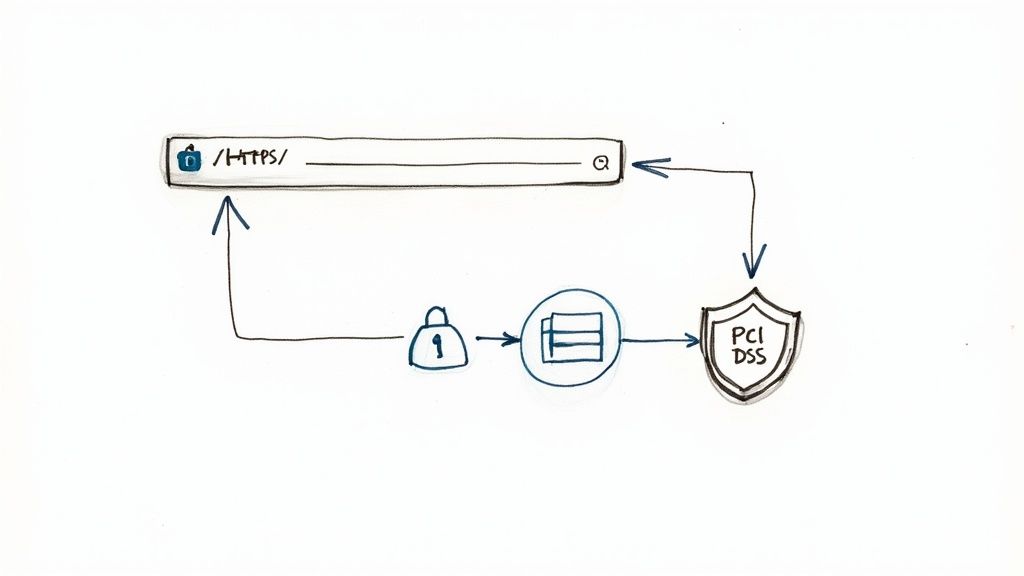
This isn't about just checking a few boxes. It's about making sure your automated payment system is as safe as it is convenient. A few proactive steps can go a long way in keeping sensitive information locked down.
Smart Security Habits for Consumers
When you’re setting up autopay for your personal bills, you are your own first line of defense. The most common threats are usually the easiest to catch if you know what to look for. Before you even think about typing in your payment details, do a quick security check on the website.
It’s simple. Just look for two things in your browser’s address bar:
- The Padlock Icon: See that little lock? It means the connection between your browser and the website is secure.
- "HTTPS" at the Start of the URL: That 'S' is important—it stands for secure. It means the data you send gets scrambled, making it totally unreadable to anyone trying to snoop.
Also, keep an eye out for phishing scams. These are sneaky emails or texts that look like they’re from a real company—maybe your utility provider or Netflix—trying to trick you into giving up your financial info. Never click links in unexpected emails. The safest move is always to go directly to the company’s official website to log in and manage your payments there.
Essential Security Measures for Businesses
If you’re a business, the stakes are way higher. You’re not just protecting your own info; you’re the guardian of your customers’ sensitive data. One slip-up here can lead to massive fines and completely tank your reputation.
The absolute gold standard for handling card payments is PCI DSS (Payment Card Industry Data Security Standard) compliance. It’s a strict set of security rules for any company that accepts, processes, stores, or transmits credit card information.
A core principle of modern payment security is never to store raw credit card numbers on your own servers. The risk is simply too great. Instead, rely on payment processors that handle the heavy lifting of compliance for you.
So, how do you do that? The key is a technology that nearly all reputable payment processors use called tokenization.
It’s a pretty slick process:
- A customer types their card details into your payment form.
- The payment processor securely sends that data and swaps it for a unique, meaningless string of characters—that’s the "token."
- You store that token, not the actual card number. It’s all you need to process future recurring payments, but it’s completely useless to a hacker if they ever get into your system.
Honestly, using a processor with built-in tokenization is non-negotiable for any business that’s serious about protecting customer data.
This kind of robust infrastructure is what holds the entire digital payment ecosystem together. The explosive growth in digital payments—projected to hit USD 157 trillion in transaction value by 2025—is only possible because of a payment processing market that generates over USD 64 billion in revenue. This market provides the essential services, from payment gateways to fraud prevention, that make secure recurring payments a reality. You can find more details in this breakdown of the global payment processing market on ClearlyPayments.com.
Got Questions About Recurring Payments? We've Got Answers.
Even after you've got your recurring payments all set up, some questions always seem to pop up. What happens if a payment bounces? How long does it actually take for the first one to go through? Getting a handle on these "what-ifs" ahead of time will help you manage your automated finances like a pro, no matter what comes up.
Let's walk through a few of the most common snags and questions people run into after they hit "submit."
How Long Until My First Payment Is Processed?
This is a big one, and the honest answer is: it depends. The time it takes for that first automatic payment to pull from your account hinges entirely on the payment method you used. There’s no one-size-fits-all timeline.
Here’s a realistic breakdown of what to expect:
- Credit or Debit Cards: These are usually the fastest. The first charge can often happen the very same day you set it up, depending on the company's billing cycle.
- ACH Bank Transfers: This route takes a little more patience. If the company uses micro-deposits to verify your account, you'll need to wait 3-5 business days for those tiny amounts to show up so you can confirm them. Only after that will the first real payment be scheduled.
- Bank Bill Pay: When you set up a recurring payment directly through your own bank’s bill pay system, the schedule is active immediately. The first payment will then go out on the exact date you specified.
My best advice? Your confirmation email is your source of truth. The company is required to tell you the exact date of your first scheduled payment. Always find that email and star it for your records.
What Should I Do If an Automated Payment Fails?
Seeing a "payment failed" notification can be stressful, but it's almost always a quick fix. The most important thing is to act fast and figure out what went wrong.
First, look at your own accounts. The most common culprits are simple: not enough money in your checking account, an expired credit card, or a card that’s hit its credit limit. Pinpointing the issue on your end is the first and most critical step.
Once you know what happened, get in touch with the company. Their system can usually tell you the specific reason for the decline, and their support team can walk you through updating your payment info or retrying the charge. If a payment went through but for the wrong amount, send them a copy of your agreement or invoice and ask for an immediate correction. If they drag their feet, it’s time to file a formal dispute with your bank or credit card issuer.
How Can I Cancel a Recurring Payment?
You always have the right to stop a recurring payment. The trick is knowing the correct way to cancel it based on how you first gave permission, which ensures you aren't charged again.
- For subscriptions with a company (like Netflix or your gym): This is almost always done by logging into your account on their website. Dig around for a "Subscription," "Billing," or "Account Settings" section to find the cancellation option. If you can't find it online, you'll have to contact their customer support.
- For payments you set up via your bank's bill pay: This is the easiest one to handle. Just log into your online banking, head to the bill pay section, and you can delete the entire series of scheduled payments in a couple of clicks.
- For ACH debits you authorized with a form: You need to formally revoke your permission in writing. Send a dated letter or email to the company clearly stating you are revoking their authorization to debit your account. To be safe, send this notice at least a few business days before the next payment is due to give them enough time to process your request.
Ever been asked for bank details for direct deposit or automatic payments but can't find your checkbook? Don't let that stop you. VoidedCheck.org lets you generate a professional, universally accepted voided check in less than 60 seconds. Create your voided check securely online and get your automated payments running without any hassle.
Related Articles

How to Get a Cancelled Check Your 2026 Guide
Need to know how to get a cancelled check for direct deposit or proof of payment? Discover easy methods from online banking to digital alternatives.

Use A Check Creator Online To Void Checks
Need a voided check for payroll? Use a check creator online to generate a secure, compliant voided check in minutes. Get started now and skip the bank trip.

7 Onboarding documents for new hires You Should Know
Discover the top 7 onboarding documents for new hires strategies and tips. Complete guide with actionable insights.