
Your Guide to the Voided Check Example
So, what exactly is a voided check? It’s just a regular paper check from your checkbook with the word "VOID" written across the front. Writing "VOID" on it cancels the check, meaning it can't be used to make a payment or withdraw money.
But even though its monetary value is gone, the check's most important information remains perfectly visible: your bank account and routing numbers. This transforms the check from a payment tool into a secure way to share your banking details.
So, Why Do I Still Need a Voided Check?
In a world filled with digital wallets and instant money transfers, the old-school paper check can feel like a bit of a dinosaur. Yet, the voided check is still a surprisingly common and trusted tool for setting up financial connections. Its main job is to provide a physical, error-proof way to share your banking information without accidentally authorizing a payment.
When you give someone a voided check, you're handing them a clear, undeniable record of your account details. This simple act helps avoid the common typos that happen when you try to key in long strings of numbers into an online form. One wrong digit could send your paycheck or an important bill payment to the wrong place entirely—a headache nobody wants.
The Blueprint for Your Bank Account
Think of a voided check as the blueprint for your bank account. An architect's blueprint shows a builder exactly where to put the walls and windows. In the same way, a voided check shows a company's payroll or billing department exactly where to send money to or pull money from.
- Setting Up Direct Deposit: When you start a new job, the payroll department uses the information to make sure your salary lands in the right account. No guesswork, no delays.
- Arranging Automatic Payments: Companies you pay for your mortgage, car loan, or utility bills use it to establish a reliable connection for recurring debits.
This simple piece of paper is all about preventing frustrating and sometimes costly mistakes before they even happen. Below is a breakdown of the key information on a check and what it's for.
Information on a Voided Check and Its Purpose
The data on a check provides a complete picture for financial institutions. Each piece has a specific role in verifying your account and ensuring transactions are routed correctly.
| Information Field | What It Represents | Why It's Needed |
|---|---|---|
| Payee Line | The person or company the check is for. | On a voided check, this is left blank because no payment is being made. |
| Your Name & Address | Your personal contact information. | Helps confirm your identity and links you directly to the bank account. |
| Bank's Name & Address | The financial institution holding the account. | Identifies where the funds are located. |
| Routing Number | A 9-digit code identifying your bank. | Directs electronic transfers and payments to the correct financial institution. |
| Account Number | Your unique account identifier at the bank. | Pinpoints the specific account within the bank where funds should be deposited or withdrawn. |
| MICR Line | The magnetic ink line at the bottom. | This contains the routing, account, and check numbers for automated processing. |
Ultimately, a voided check serves as an authoritative source for your financial details, ensuring accuracy for important setups like direct deposit.
Its continued use in the U.S. financial system really speaks to its reliability. Even with all the advances in digital banking, millions of employers still ask for a voided check during the hiring process. It's a practice that's stuck around for a good reason, as explained in this article on why businesses still find voided checks useful.
The Main Point: A voided check isn't about paying someone. It's about providing verified information. By canceling the check's value but leaving the data intact, you create a secure document that confirms your account details with 100% accuracy. It's a simple but powerful safeguard against payment errors.
Anatomy of a Voided Check: What to Know
To get a handle on how a voided check works, you need to understand its core components. Think of a check as a financial roadmap—every number and line is a direction that tells money where to go. Even though you write "VOID" across the front to prevent it from being used as a payment, the key banking details underneath must stay perfectly clear.
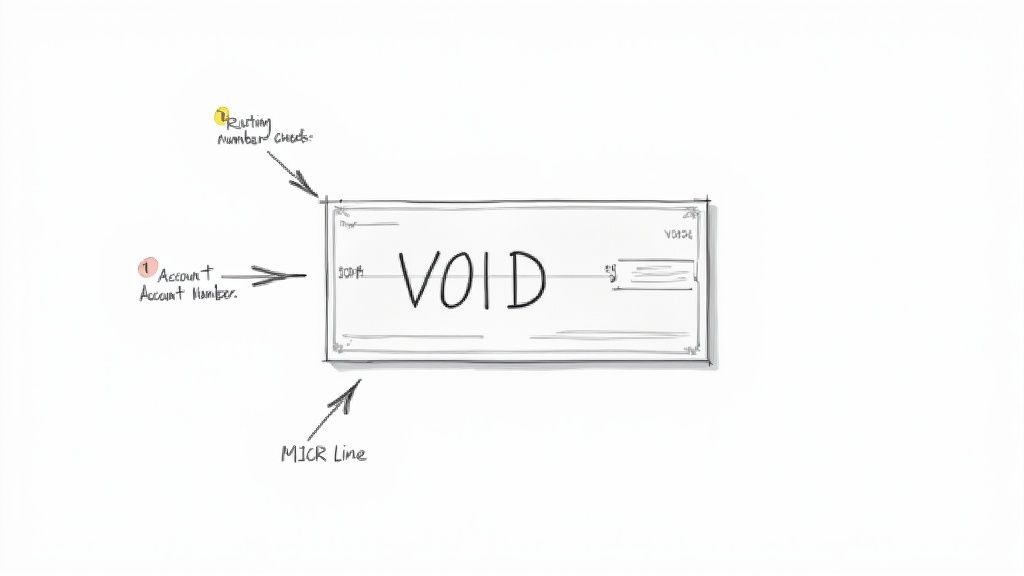
Let's break down this voided check example to see why it’s such a trusted way to share your banking information safely.
Your Bank's Unique Address: The Routing Number
First up is the routing number. This nine-digit code, usually found on the bottom-left corner of the check, is essentially your bank's unique address in the U.S. financial system.
Think of it like a zip code for a post office. When your employer sets up direct deposit, this number tells their bank exactly which financial institution to send your paycheck to. Every customer at a specific branch or region of your bank will share this same routing number.
Your Personal Mailbox: The Account Number
If the routing number points to the right bank, your account number is like your personal mailbox at that location. It’s the unique identifier for your specific checking account, making sure the money lands in your pocket and nobody else's.
You'll typically find this number right next to the routing number. It's absolutely crucial that this number is easy to read on the voided check, since it’s the final stop for any incoming funds.
Key Takeaway: The routing and account numbers are a team. The routing number gets the money to the right bank, and the account number makes sure it gets deposited into the right person’s account. A mistake in either number can lead to major headaches and lost funds.
The MICR Line: The Language of Machines
That whole string of numbers and symbols at the bottom of the check—which includes your routing and account numbers—is called the MICR line. MICR is short for Magnetic Ink Character Recognition.
This special ink is what allows high-speed sorting machines to read and process checks automatically, without a human needing to eyeball every single one. That’s why you must be careful not to write over this line when you void a check. If you obscure it, you could prevent the automated systems from reading your information, which defeats the whole point.
If you need a digital version in a hurry, you can always use a voided check generator to create one with all the correct information perfectly formatted.
How to Void a Check the Right Way
Voiding a check is one of those simple tasks that can feel a little intimidating if you've never done it before. You need to make sure it can't be used as a blank check, but the critical bank information still has to be perfectly readable. Don't worry, it's a quick and easy process. We'll walk through it step-by-step so you can get it done in about a minute.
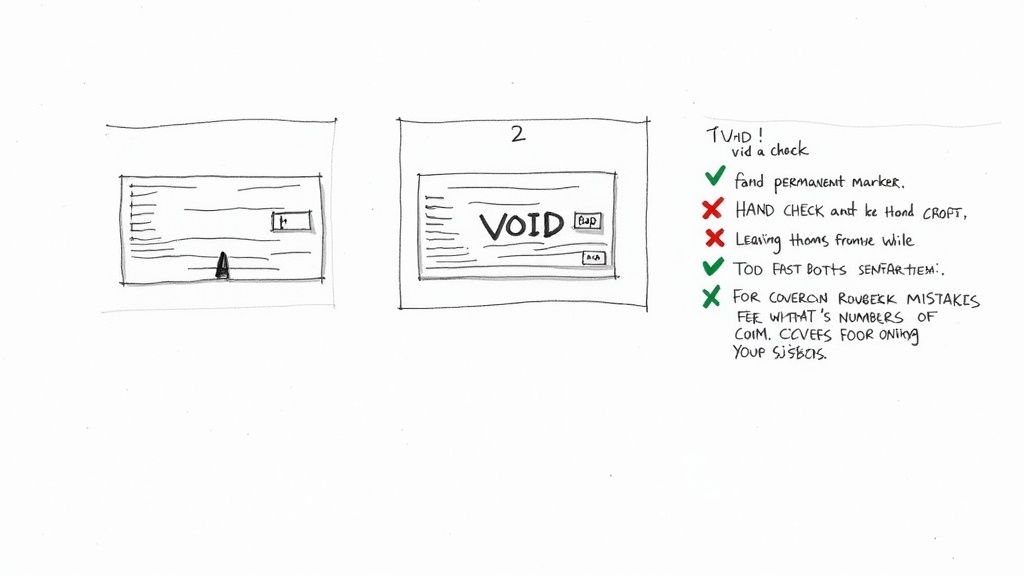
The main goal is simple: disable the check so no one can fill it out and cash it, while leaving your account and routing numbers clear for things like setting up direct deposit.
A Quick Step-by-Step Guide
Grab a pen—blue or black permanent ink is best—and a blank check from your checkbook.
Start with a Blank Check: Pull a check from your checkbook. Try to avoid using one of the temporary "starter" checks if you have a regular book, as they sometimes lack all the necessary pre-printed info.
Write "VOID" in Big Letters: Write the word VOID across the face of the check. Use large, clear capital letters so there’s no mistaking its purpose.
Be Strategic with Placement: A good practice is to write "VOID" across a few of the most important fields, like the payee line ("Pay to the order of"), the payment amount box, and the date line. This makes it impossible for someone to fill in those details.
Crucial Tip: Whatever you do, do not let your writing touch the series of numbers at the very bottom of the check. That MICR line contains your routing and account numbers, and it needs to be perfectly clear for a company's payroll or payment system to read it.
Common Mistakes to Avoid
Knowing what not to do is just as important. A simple slip-up can make the check useless for its intended purpose or even create a security risk.
Here are the most common blunders to watch out for:
Signing the Check: Never, ever sign a voided check. Your signature is what authorizes payment, and that’s the last thing you want to do here. An unsigned check is an inactive one.
Using a Pencil or Marker: Stick with a permanent pen. Pencil can be erased, and a thick marker might bleed and obscure the important numbers on the bottom.
Covering the MICR Line: This is the number one mistake people make. If you write over those numbers at the bottom, automated systems can't read them, and the check will be rejected. This is the whole reason you're providing the check in the first place, so keep that area clean!
Not Keeping a Record: It's smart to make a quick copy for your files—a photo with your phone works perfectly. You should also make a note in your check register, listing the check number and writing "VOID" next to it. This helps you keep your records straight and ensures every check is accounted for.
Common Uses for a Voided Check
You might wonder, "If I can't spend it, what's a voided check good for?" While it's true a voided check has no monetary value, it’s a crucial tool for securely setting up automated financial transactions. Think of it as a blueprint for your bank account, giving companies the exact coordinates they need to send you money or withdraw pre-approved payments.
The two most common scenarios where you'll need one are setting up direct deposit and arranging automatic bill pay.
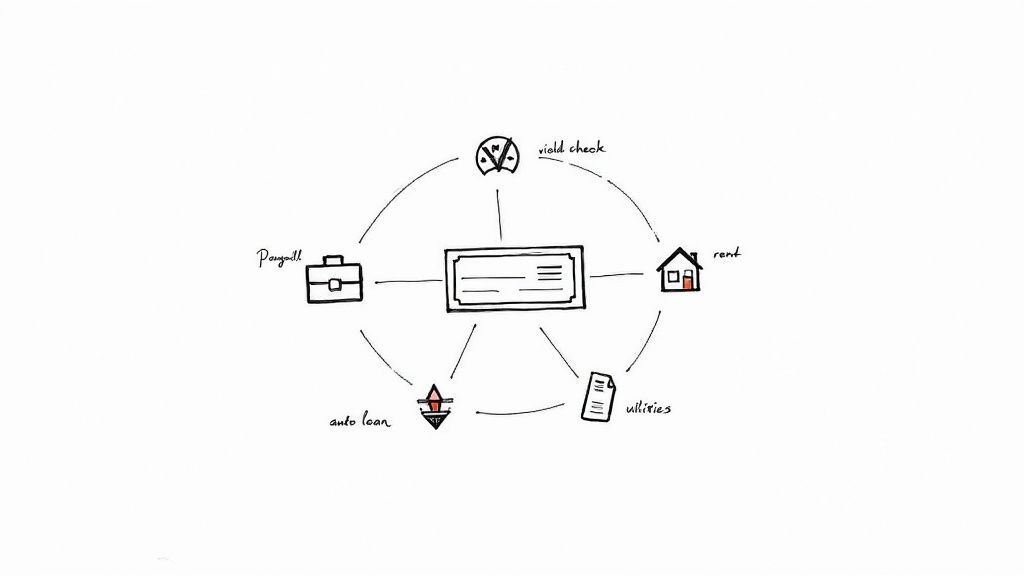
Handing over a voided check example almost completely eliminates the risk of typos. We've all been there—staring at a long string of numbers on a screen, hoping we didn't mix up a digit. One tiny mistake could send your paycheck into limbo or cause a critical bill payment to bounce, which is a headache nobody needs.
Setting Up Direct Deposit
The classic reason you'll be asked for a voided check is when you start a new job. Your employer's payroll team needs to know exactly where to send your hard-earned money, and a physical check is the gold standard for verification.
When you provide a voided check, you’re giving them:
- Proof of Account Ownership: It shows the account is actually yours.
- Guaranteed Accuracy: It takes the guesswork out of data entry, preventing human error.
- The Correct Routing Information: It ensures your pay goes to the right bank and branch.
This simple piece of paper is often one of the last steps in the onboarding process, setting you up for a smooth payday right from the start.
Arranging Automatic Bill Payments
A voided check is also your best friend when setting up recurring debits, which you'll often see referred to as ACH (Automated Clearing House) payments. Many companies will ask for one to establish the connection needed to pull funds for regular services.
A voided check acts as a secure authorization tool. You aren't making a payment with it; you're simply giving a company the map to your account for future transactions that you've already approved.
This is a common requirement for bigger, recurring expenses, such as:
- Mortgage or rent payments
- Car loan installments
- Monthly utility bills
- Credit card payments
- Insurance premiums
This method is incredibly effective. Financial institutions report that using a voided check for these setups reduces payment errors by an estimated 85-95% compared to someone typing the numbers in by hand. For a deeper dive into how this prevents payment problems, FasterCapital offers some good insights on outstanding check issues.
At the end of the day, a voided check is a simple but powerful way to make sure your financial life runs on autopilot without costly mistakes.
Modern Alternatives to a Voided Check
Let's be honest, who even has a checkbook anymore? While a physical voided check has long been the gold standard for verifying your bank details, it's starting to feel a bit old-fashioned. Thankfully, if you're out of checks or just prefer a paperless life, there are several modern ways to get the job done just as effectively.
These digital methods all provide the same crucial information—your account and routing numbers—without you having to dig through a drawer for a dusty checkbook.
Most employers and service providers are well aware of this shift and are more than happy to accept a digital-first option. The main thing is just to ask which format they prefer.
Your Bank's Direct Deposit Form
Probably the easiest and most common alternative is grabbing a pre-filled direct deposit form straight from your bank's website or mobile app. Think of it as an official, digital version of a voided check, already formatted and ready to go.
Getting one is usually a breeze:
- Log in to your online banking.
- Head over to the account services or settings area.
- Look for a link like "Set up direct deposit" or "Account verification form."
- Download the PDF it generates. From there, you can email it or upload it wherever it needs to go.
This approach is quick, comes directly from the source, and completely removes the risk of someone misreading your handwriting. For more tips on navigating these kinds of financial setups, check out our insights at https://voidedcheck.org/blog.
Official Bank Letters or Counter Checks
What if you can't find that magic download button online? No problem. You can always get an official bank letter. Just pop into a local branch or call customer service and ask for a letter that confirms your account and routing numbers. A teller can usually print one out for you in minutes.
Another old-school-but-effective trick is asking for a counter check. This is just a single, blank check printed for you by the bank. You can then write "VOID" across it and use it just like you would one from your own checkbook.
Employer Payroll Portal
Many companies have moved to slick payroll platforms (like ADP, Gusto, or Workday) that make this whole process a non-issue. These systems let you set up your direct deposit entirely online, often by securely linking to your bank account.
This is usually the most secure and streamlined route. By using a service like Plaid, you just log in with your online banking info, and the system verifies everything instantly. Your account numbers are encrypted and never even seen by human eyes in the payroll department.
The world of banking verification has changed dramatically. While the classic voided check still works, these digital alternatives are often faster, safer, and more convenient.
Here's a quick breakdown of how the old way stacks up against the new.
Voided Check Versus Digital Alternatives
| Method | Pros | Cons | Best For |
|---|---|---|---|
| Traditional Voided Check | Universally accepted; simple to create if you have checks. | Requires physical checks; slower process; risk of loss or mail theft. | Situations where a physical, original document is explicitly requested. |
| Bank Direct Deposit Form | Official and professional; instantly downloadable; no manual errors. | Requires online banking access; format may vary by bank. | Setting up direct deposit with most modern employers. |
| Third-Party App (Plaid) | Instant verification; highly secure and encrypted; no paper involved. | Requires sharing online banking login credentials with a third party. | Tech-savvy users and companies with integrated payroll systems. |
| Official Bank Letter | Official bank-stamped proof; can be obtained without online access. | Requires a trip to the bank or a phone call; can take time. | When you need formal, physical proof but don't have a checkbook. |
Ultimately, the best method is the one your employer or biller accepts. With so many secure and simple digital options now available, you likely won't need to write out a physical check ever again.
Frequently Asked Questions About Voided Checks
Even after getting the hang of voiding a check, a few questions can still pop up. It's totally normal. After all, getting these details right is crucial for protecting your financial information and making sure things like your direct deposit are set up without a hitch.
Let's walk through some of the most common questions people have. My goal is to clear up any lingering confusion so you can handle these situations with complete confidence.
What Should I Do If I Don't Have a Checkbook?
This is a really common situation these days. Don't worry, you've got options.
The easiest path is often right at your fingertips. Log into your bank's website or app and look for a pre-filled direct deposit form. Most banks provide these as a standard PDF download, and it serves the exact same purpose as a physical voided check example.
If you can't find one online, just swing by a local branch. Ask a teller for a "counter check," and they can print one for you right there. You can then void it just like any other check. It’s an official document with everything your employer or a vendor would need.
And finally, it's always worth asking your HR department what they prefer. Many modern payroll systems can link directly to your bank account digitally, skipping the need for any paper forms at all.
Is It Safe to Email a Picture of a Voided Check?
Sending a photo of a voided check by email is pretty standard, but you need to be smart about it. Yes, the check is voided and can't be cashed, but it’s still a document plastered with sensitive information—your full name, address, and most importantly, your bank account and routing numbers.
Email isn't a locked vault; messages can be intercepted.
Security Best Practice: Before you hit send, ask if there’s a secure portal you can use for the upload instead. If email is truly the only way, I'd recommend password-protecting the file. You can then send the password in a separate text or a different email. Once they confirm they’ve received it, do yourself a favor and delete the original email from your "sent" folder.
Taking that one extra step can make a huge difference in keeping your banking details out of the wrong hands.
How Should I Dispose of a Voided Check?
Properly getting rid of a voided check—especially one you messed up and are no longer using—is all about protecting your identity. Never, ever just toss it in the trash can. To a fraudster, that piece of paper is a treasure map to your bank account.
The absolute best method is shredding. A cross-cut shredder is your best friend here, turning the check into tiny, confetti-like bits that are nearly impossible to piece back together. If you don’t have one at home, you can usually find one to use at a local office supply store or community center. Tearing it up by hand is better than nothing, but shredding is the gold standard for security.
What Is the Difference Between Voiding a Check and a Stop Payment?
This one trips a lot of people up, but the distinction is critical. They are two completely different tools used for entirely different scenarios.
Voiding a Check: You do this before a check ever leaves your possession. You’re simply canceling a blank check to use it as a form to share your banking information. No money was ever meant to change hands.
Stop Payment: This is an urgent request you make to your bank after you've already written and given a check to someone. You’d use a stop payment if the check was lost, stolen, or if you have a serious dispute with the payee. It's a formal command telling your bank to refuse payment if the check is presented, and it almost always comes with a fee.
Think of it this way: you void a blank check for administrative setup, but you stop payment on a live check to prevent an unwanted transaction. Knowing when to use each is a key part of managing your checking account well.
Need a professional voided check in under a minute without the hassle of a checkbook? VoidedCheck.org securely generates a perfectly formatted voided check that is guaranteed to be accepted. Get your voided check instantly at https://voidedcheck.org.
Related Articles

How to Get a Cancelled Check Your 2026 Guide
Need to know how to get a cancelled check for direct deposit or proof of payment? Discover easy methods from online banking to digital alternatives.

Use A Check Creator Online To Void Checks
Need a voided check for payroll? Use a check creator online to generate a secure, compliant voided check in minutes. Get started now and skip the bank trip.

7 Onboarding documents for new hires You Should Know
Discover the top 7 onboarding documents for new hires strategies and tips. Complete guide with actionable insights.