
Where can i get a voided check: Quick, safe ways online or at your bank
So you need a voided check. It feels like a throwback in an age of digital wallets and instant transfers, but it's still the gold standard for setting up important financial connections like direct deposit or automatic bill payments.
Think of it as the official handshake between your bank account and another party—it proves your account and routing numbers are correct and belong to you, without putting any actual money on the line.
Where Can I Get a Voided Check? 5 Easy Ways
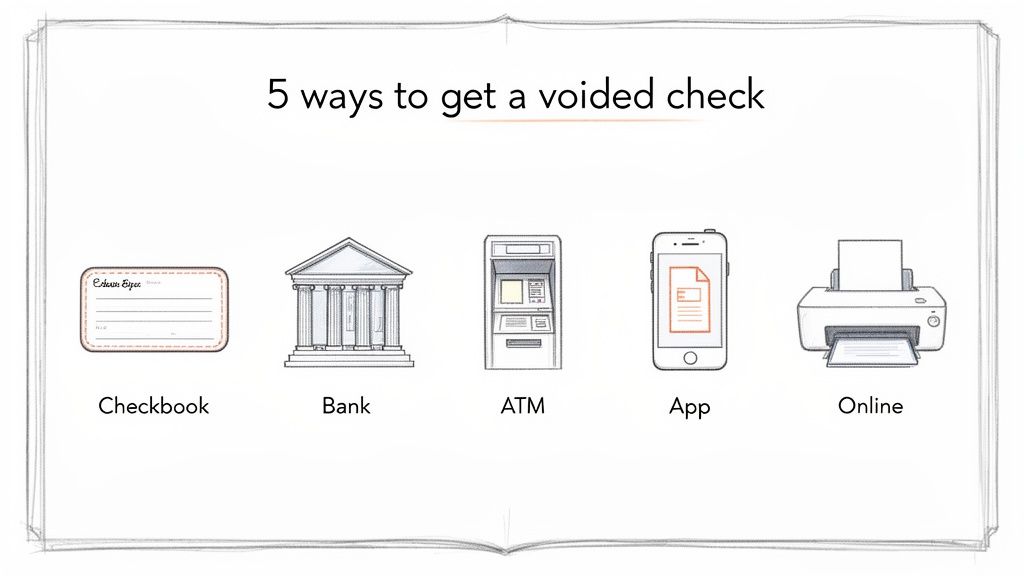
Thankfully, you've got options, ranging from old-school paper to a few quick clicks online. Which one you choose really just depends on what's easiest for you.
Even though paper checks are less common for day-to-day purchases, they're still a key part of the financial system. For direct deposit setups, they’re still king—it's how 93% of U.S. workers get paid, according to the American Payroll Association. With fewer people keeping checkbooks on hand, knowing the digital alternatives is more important than ever. You can dig into the latest research on consumer payment choices for a deeper look at these trends.
Comparing Your Options for Getting a Voided Check
To figure out the best approach, just think about how fast you need it and what you have handy. If you’ve got a checkbook sitting in a drawer, you're all set. If not, don't worry—your bank and a few online services have you covered.
This table breaks down the most common methods so you can quickly see which one fits your situation.
| Method | Typical Time | Cost | Convenience Level | What's Required |
|---|---|---|---|---|
| Physical Checkbook | Instant | Free | High (if you have one) | A blank check and a pen |
| Bank Branch/Teller | 15-30 minutes | Often free, sometimes a small fee | Medium | A valid ID and bank account |
| Online Banking Portal | 5-10 minutes | Free | High | Online banking login credentials |
| Online Generator | 1-2 minutes | Small fee | Very High | Account/routing numbers |
As you can see, you’re never more than a few minutes away from getting what you need, whether you go the traditional route or a more modern one.
Even with instant payments at our fingertips, getting asked for a voided check can feel a bit old-school. Why would an employer or landlord need a physical piece of paper when you could just rattle off your account numbers? It really boils down to two things: accuracy and security.
Think of a voided check as your bank account's official business card. The big "VOID" written across it makes sure it has no cash value, so it’s not about spending money. Its only job is to provide a verified, foolproof record of three critical details.
- Your Bank's Routing Number: This is the nine-digit code that tells everyone which bank you use.
- Your Unique Account Number: This points directly to your specific account.
- Your Name and Address: This confirms you're the actual owner of the account.
That simple piece of paper acts as a physical guarantee that the numbers are right, which is why it’s still a trusted way to set up important electronic fund transfers (EFTs).
The Gold Standard for Financial Setups
Let's be honest, it's incredibly easy to mistype a long string of numbers. One wrong digit in your routing or account number could send your paycheck or rent payment into a financial black hole. That means delays, potential fees, and a massive headache for everyone. A voided check stops that problem before it starts.
A voided check is the financial world’s version of "measure twice, cut once." It serves as an official, bank-issued source of truth, preventing costly errors and making sure your money goes exactly where it's supposed to, right from the get-go.
This is precisely why so many crucial financial setups still require one. It's a cornerstone for payroll, where 93% of workers get paid via direct deposit, and for automatic bill payments, which 70% of households rely on. By confirming all the key details without any risk of the check being cashed, it helps shut down fraud and errors that can cost billions. You can find more insights on why this verification is so crucial for online payments.
So while the ways we get a voided check have definitely modernized, its core purpose as a secure verifier hasn't changed a bit. It’s a small, simple step that prevents big, messy problems, making it a surprisingly resilient tool in our financial lives.
How to Get a Voided Check Directly from Your Bank
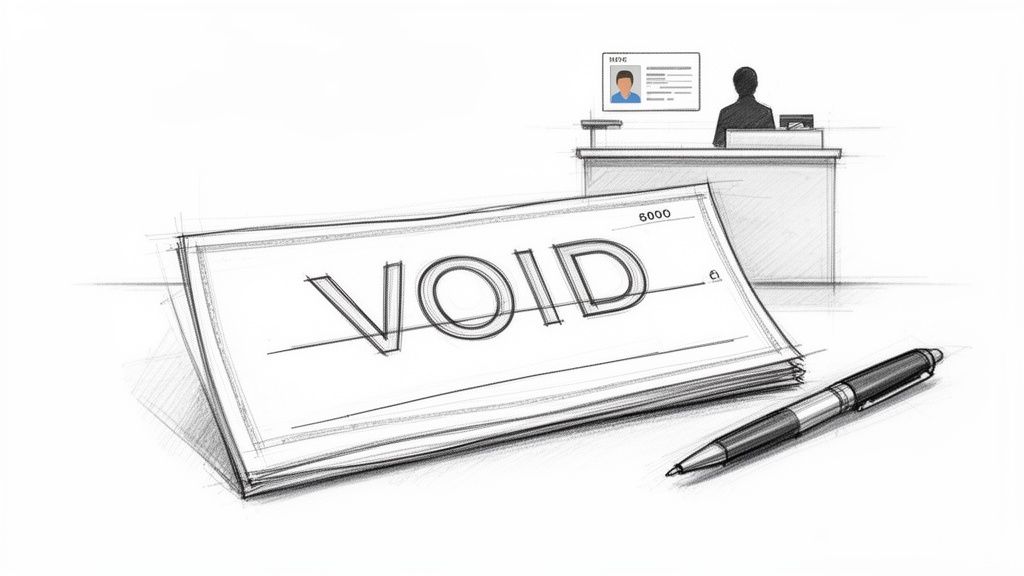
When you need to prove your account information, sometimes the most reliable way is to go straight to the source: your bank. This classic approach is trusted by just about every employer and institution out there.
You've really got two main options here. You can either void one of your own checks from a checkbook or head down to a local branch and have a teller help you out.
Got a Checkbook? Use a Physical Check
If you happen to have a checkbook stashed away, you're in luck. This is by far the fastest way to get a voided check into someone's hands.
It’s a simple process, but you'll want to do it right to make sure the check can't be misused. All you need is a blank check and a pen with black or blue ink.
Here's exactly what to do:
- Write "VOID" in big letters right across the front of the check. Make it large enough to cover key areas like the payee line ("Pay to the order of"), the amount box, and especially the signature line.
- Don't sign it. This is the most important step. A signature is what makes a check a valid form of payment. You're just providing information, not authorizing a transaction.
- Leave everything else blank. No need to write a date, an amount, or anything else. The focus is on your pre-printed account and routing numbers at the bottom.
Just like that, you have an official document ready to go. It costs you nothing and takes less than a minute.
No Checkbook? Visit a Bank Branch
What if you don't own a checkbook? Plenty of people don't these days. No worries—your bank can still help you out with a quick trip to a branch.
Just make sure you bring a valid government-issued photo ID, like your driver's license or passport. They'll need to verify who you are before handing over any account documents.
Once you're at the counter, you can ask the teller for a counter check, which they can print and void for you on the spot. Another great option is to ask for a direct deposit form or a bank specification sheet. These documents serve the exact same purpose and list your name, routing number, and account number on official bank letterhead.
This method is foolproof, but it does mean taking the time to travel to the bank and potentially wait in line. Some banks might charge a small fee, usually just a few dollars, for printing a counter check.
For a look at the specific policies at major banks, you can see our guide to getting a voided check from different banks. In the end, walking out of a branch with a bank-stamped document is a rock-solid way to verify your account info.
Getting a Voided Check Online Without a Checkbook
Let's face it, most of us do our banking on a phone or laptop these days. The idea of needing an old-school paper check can feel a bit jarring. Luckily, you don't actually need to dig through a desk drawer to find a physical checkbook.
There are a couple of excellent digital solutions that give you exactly what you need, and they fit perfectly into how we manage money now.
Using Your Bank's Online Portal or App
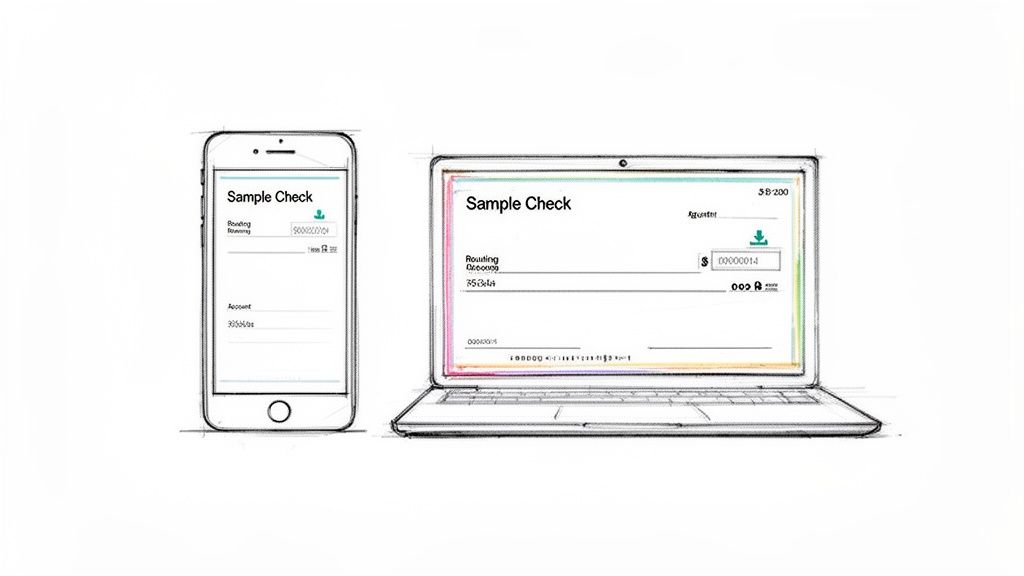
Your first and best bet is to check your own bank's website or mobile app. Many of the bigger banks have caught on to the fact that almost no one carries a checkbook anymore and have built tools to create a digital equivalent. These are official, bank-stamped documents that get the job done.
The process is usually pretty simple, though the exact clicks can vary from bank to bank.
- Log In Securely: Fire up your bank's official app or log in on their website.
- Look for Account Services: You'll want to find a section labeled something like "Account Services," "Information," or "Direct Deposit."
- Find the Direct Deposit Form: From there, hunt for an option to generate a "Direct Deposit Form" or a "Sample Check."
- Download and Go: The system will create a PDF that already has your name, routing number, and account number filled in. Just download, print, or email it.
This is a fantastic option because the info is coming straight from the horse's mouth—your bank—so you know it's 100% accurate.
Big names like Chase let you download a pre-filled PDF right from your account dashboard. Bank of America even uses its virtual assistant, Erica, to generate one for you on the spot. But not every bank or credit union offers this, which has opened the door for some really solid online tools to fill the gap.
If you can't find this feature in your online banking, or you just need something in the next 60 seconds, a dedicated online generator is your next stop.
Leveraging an Online Voided Check Generator
When your bank's portal doesn't have what you need, online generator services are a lifesaver. These websites are built to do one thing and do it well: create a clean, accurate, professional-looking voided check PDF in a matter of seconds.
The beauty is in the simplicity. You just punch in your details, and the tool handles the formatting and spits out a document that's ready to go.
These services have some clear benefits:
- Speed: The whole process, from typing in your info to having the PDF in your hands (or on your screen), often takes less than a minute.
- Convenience: No logging into your bank, no driving to a branch, and definitely no searching for that long-lost checkbook.
- Universal Compatibility: The best generators work with literally any U.S.-based bank or credit union, making them a truly universal solution.
If you're looking for a fast, secure, and reliable option, a tool like the VoidedCheck.org Generator is a great choice. It uses validated Federal Reserve routing data to double-check accuracy, which gives you peace of mind. This makes it perfect for remote workers, freelancers, or anyone who needs to get direct deposit set up right away without any hassle. Just make sure you're using a reputable service that takes data security seriously.
Protecting Your Information and Ensuring Acceptance
So, you know how to get your hands on a voided check. Great! But the job isn't done yet. The next, and arguably most important, step is making sure it’s accepted by whoever needs it and that you handle it securely.
A rejected form can be a real headache, delaying everything from your first paycheck to a critical automatic payment. Even worse, a casual approach to security could expose your sensitive financial information. A few simple practices can help you get it right the first time, whether you're using an old-school paper check or a digitally generated one.
Simple Rules for Flawless Acceptance
More often than not, a voided check gets rejected because of a simple, avoidable mistake. The key is to focus on clarity and accuracy before you hand it over. Think of it like proofreading an important email one last time before hitting send.
Here’s what to double-check to make sure it sails through without a hitch:
- Use Permanent Ink: If you're voiding a physical check, stick with a pen—blue or black ink is best. Pencil can be erased, and other colors sometimes don't scan properly.
- Write "VOID" Clearly: Don't be shy here. Write the word "VOID" in big, bold letters across the front of the check. It needs to be impossible to miss, and it’s a good idea to have it cover key areas like the signature line to prevent any chance of misuse.
- Verify Digital Details: When using an online version, confirm that every single detail—your name, address, routing number, and account number—is an exact match to your official bank records. One wrong digit is all it takes for the system to kick it back.
These small steps make a huge difference. They’ll help you get your direct deposit or payment plan set up smoothly and without frustrating delays.
Keeping Your Financial Data Safe
Sharing your bank account information requires a bit of caution. While a voided check itself can't be used to withdraw money, the numbers on it are the keys to your account. You wouldn't leave your bank statement lying around in a coffee shop, and the same principle applies here.
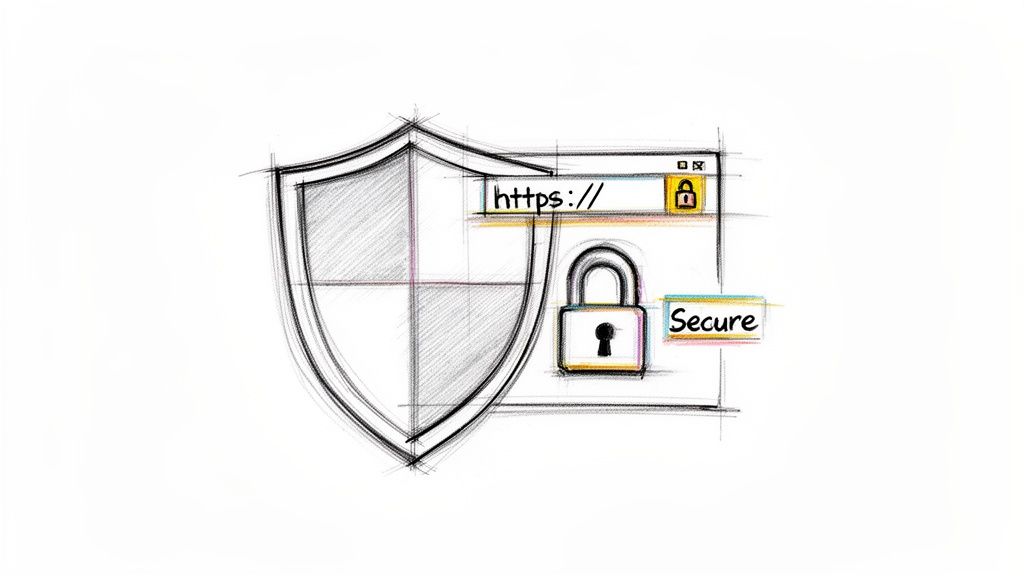
When sending your voided check digitally, always verify you are using a secure channel. Look for "https" in the website address of an employer's portal, and be wary of sending sensitive documents over public Wi-Fi networks where data can be more easily intercepted.
If you decide to use a third-party service to generate a voided check, do a quick security check first. A trustworthy site will use strong encryption, like 256-bit SSL, which is the same standard your bank uses. They should also have a clear privacy policy stating they don't store your financial data after the check is created. Taking a minute to look for these security features is a smart move to protect your financial identity.
Common Questions About Voided Checks Answered
Even after walking through the steps, you might still have a few questions floating around. Let's be honest, the whole idea of a voided check can feel a bit old-fashioned in a world of digital payments. This section is all about tackling those common "what ifs" and "why nots" so you can handle any request with confidence.
Think of this as your final check-in before you send your banking details off. We'll clear up any confusion and make sure you feel totally comfortable with the process.
Can I Just Write My Account Number on Paper Instead?
It's a great question—if they just need the numbers, why go through the trouble of providing a whole check? The short answer is risk. For a company, a voided check or an official bank form is a verifiable document that proves the numbers are correct and belong to you.
Handwritten numbers are just too easy to mess up. Imagine mistyping just one digit in your 12-digit account number. That tiny slip-up could send your paycheck into someone else's account, creating a huge headache for both you and your company's payroll department.
A voided check isn't just about the numbers; it's about formal verification. It confirms that the routing number, account number, and your name are all correctly linked in an official format, which drastically reduces the chance of costly payment processing errors.
This formal proof is how companies prevent fraud and ensure their automated payment systems work smoothly. It's their way of making sure your money lands exactly where it should, no guesswork required.
What If My Bank Does Not Offer an Online Voided Check?
This happens all the time, especially with smaller local banks and credit unions. While the big national banks often have downloadable direct deposit forms or sample checks, many others haven't built that feature into their online banking yet.
If you hit this wall, don't worry. You have a couple of great options that don't involve ordering a checkbook you'll never use.
Call Your Bank: Your first move should be to get on the phone with your bank’s customer service. Ask them if they can email you a "direct deposit letter" or a "bank specification sheet." These are official documents printed on bank letterhead that contain all the necessary account details.
Use an Online Generator: If your bank can't send you a document right away, a third-party tool is your best bet. Services designed to create voided checks can produce a properly formatted PDF in minutes that works with any U.S. bank.
An online generator like VoidedCheck.org is often the fastest way to solve the problem when your bank’s digital tools come up short.
Is It Safe to Send a Voided Check Electronically?
Sending financial information online definitely requires a little caution, but you can do it safely by following a few simple best practices. While a voided check has no cash value, the account information on it is still sensitive.
Think of it like locking your front door. It’s a simple habit that adds a crucial layer of security.
Here are a few quick tips for sending your voided check securely:
Verify Your Recipient: Before you hit send, double-check the email address or portal you're uploading to. Only send it to an official, trusted source, like a verified HR department email.
Use a Secure Portal: If your employer or property manager has a secure online portal for onboarding, always use that instead of email. These systems are built with encryption to protect your data.
Avoid Public Wi-Fi: Never send sensitive documents while you're connected to the public Wi-Fi at a coffee shop, airport, or hotel. These networks are often unsecured and can expose your information to bad actors.
Taking these small steps lets you share your information with peace of mind.
How Long Should I Keep a Copy of a Voided Check?
So, you've sent the voided check and your direct deposit is all set up. What do you do with the copy you saved? It's smart to hang onto it for your own records, at least for a little while.
There’s no hard-and-fast rule, but keeping a digital or physical copy for at least one year is a good rule of thumb. This is especially true when you've used it for something important, like starting a new job or setting up mortgage payments.
Having that copy on hand makes it easy to reference the exact information you provided if any questions pop up later on. Since a digital copy takes up no physical space, holding onto it is a simple way to stay organized and keep a clear record of your financial arrangements.
Need a professional voided check in under a minute? With VoidedCheck.org, you can securely generate an accurate, universally accepted voided check online without a checkbook. Get started now and set up your direct deposit or automatic payments with confidence at https://voidedcheck.org.
Generate a Voided Check for These Banks
Related Articles
What Is a Void Check for Direct Deposit and How Do You Get One
What is a void check for direct deposit? This guide explains why you need one, how to void a check, and how to get one instantly without a physical checkbook.
Choosing the Best Payroll Software for Small Business
Compare the best payroll software for small business. Our expert guide reviews features, pricing, and use cases to help you choose the right solution.
What Is ACH Authorization A Simple Guide to How It Works
What is ACH authorization? This guide explains how ACH authorization works for direct deposits, bill payments, and more in easy-to-understand terms.