
What Is a Void Check for Direct Deposit and How Do You Get One
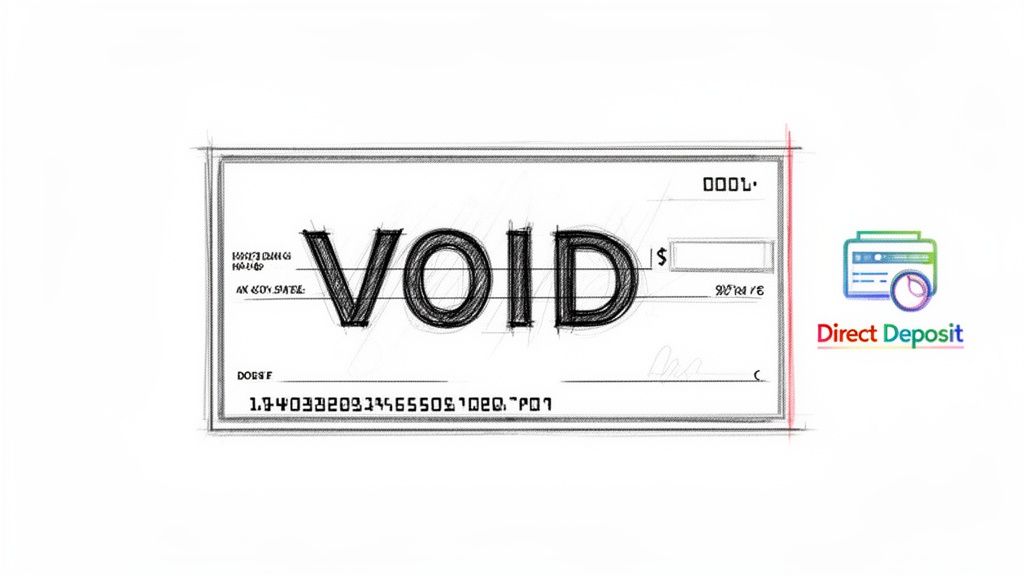
At its core, a voided check is simply a blank check from your checkbook with the word “VOID” written across the face. This simple act renders the check useless for any kind of payment, but it’s still incredibly valuable for one key reason: it provides a foolproof copy of your banking information.
Think of it as the most reliable way to share your account and routing numbers for setting up electronic payments, especially direct deposit.
The Role of a Voided Check in Modern Payroll
Even in our increasingly digital world, the old-school voided check holds its ground for a very important reason: accuracy. When you start a new job, your employer's payroll team needs your exact banking details to make sure your hard-earned money gets to you without a hitch.
A voided check acts as a perfect, pre-printed blueprint of your account. Rather than having you scribble down a long series of numbers (where one tiny mistake could send your paycheck into the void), the check offers a bank-verified source of truth. It’s a simple but effective way to sidestep human error.
Why It's Still Relevant Today
You might be surprised to learn that the move toward digital payments has actually kept the voided check relevant. A "Getting Paid in America" survey from PayrollOrg revealed that an incredible 92% of U.S. workers now get paid through direct deposit. Paper checks have dwindled to just 3.7%. You can explore more about this payment shift and see the full survey details on the NACHA website.
With so many people using direct deposit, payroll departments are handling a massive volume of account setups. This makes having a standardized, error-proof system more crucial than ever. For them, a voided check is the gold standard because it serves as:
- Official Proof of Ownership: It instantly confirms the account is yours.
- A Source of Accuracy: It eliminates the costly delays and headaches caused by mistyped numbers.
- A Security Measure: Writing "VOID" across it makes the check financially inert, so you're protected if it gets lost.
A voided check acts as a secure handshake between you and your employer. It transmits essential financial data without transferring any monetary value, building the trust needed for seamless electronic payments.
Ultimately, asking what a voided check for direct deposit is boils down to its function—it's a simple, secure tool for verifying your account information so you get paid on time, every time.
Anatomy of a Voided Check for Direct Deposit
When you hand over a voided check, you're not just giving someone a piece of paper; you're providing a clear map to your bank account. Each number printed at the bottom has a specific job to do.
| Information Field | What It Is | Why It's Critical |
|---|---|---|
| Routing Number | A nine-digit code that identifies your specific bank or credit union. | This is like the bank's address. Without the correct one, the payment system won't know which financial institution to send the money to. |
| Account Number | The unique identifier for your personal checking account at that bank. | This is your specific "mailbox" at the bank. An error here means your money could end up in someone else's account or get rejected entirely. |
| Your Name & Address | Your personal details pre-printed on the check. | This serves as a final verification step, confirming that the account holder's name matches the employee's name in the payroll system. |
| Check Number | The sequential number that identifies that specific check. | While not used for the direct deposit setup itself, its presence helps confirm the document is a legitimate check from an active account. |
Understanding these components makes it clear why a physical (or digital) copy of a check is so much more reliable than just writing the numbers down on a form.
Why Employers Still Ask for a Voided Check
It might seem a bit old-fashioned, right? In a world of digital wallets and instant transfers, why would an employer ask you for a physical piece of paper like a voided check? The truth is, it’s not about the paper itself—it’s about the verified, undeniable information printed on it.
This simple document is a surprisingly effective tool for payroll departments, and it all boils down to three things: accuracy, security, and compliance.
Think of it as a small insurance policy against a big headache. When a payroll administrator has to type in your account and routing numbers from a form you filled out by hand, the chance for a simple typo is shockingly high. Just one wrong digit could send your hard-earned money to a stranger’s account or get it rejected by the bank, leading to delays and a lot of frustration. A voided check eliminates that risk because the numbers are pre-printed and bank-verified.
A Powerful Tool for Verification and Security
Beyond just avoiding typos, a voided check acts as solid proof that you actually own the bank account. After all, anyone can jot down a string of numbers, but only the real account holder has the checkbook connected to that account. This simple verification step is a critical first line of defense against payment fraud.
And that’s a bigger deal than you might think. Back in 2018, U.S. banks reported a whopping $2.8 billion in losses from deposit account fraud. A staggering 47% of that—nearly half—came from check fraud, including stolen and counterfeit checks. You can get a better sense of these financial threats and why secure banking is so important by looking at the data from Axos Bank. By asking for a voided check, companies are protecting both their own finances and their employees from becoming another statistic.
For a payroll department, a voided check isn't just a piece of paper. It's a verifiable, bank-issued document that satisfies internal controls and creates a clean audit trail. It proves they did their due diligence to validate an employee’s banking details before sending any money.
This is exactly why so many companies still stick with this tried-and-true method. For them, the benefits are crystal clear:
- Fewer Errors: It all but guarantees the routing and account numbers are captured correctly on the first try.
- Fraud Prevention: It confirms the employee’s name is legitimately tied to the bank account they provided.
- Easy Audits: It gives them a physical or digital record that keeps financial auditors and internal policy-makers happy.
At the end of the day, asking for a voided check is a time-tested way to make sure payroll runs smoothly, securely, and accurately from the very beginning. And while modern digital alternatives, like the service offered by VoidedCheck.org, now provide that same level of trust without the paper, the core principles of accuracy and security haven't changed a bit.
How to Properly Void a Check for Payroll
Got a checkbook handy? Great. Getting a voided check ready for your new job's direct deposit is simple, but you'll want to do it right. A few small details can make the difference between a smooth payroll setup and a frustrating delay.
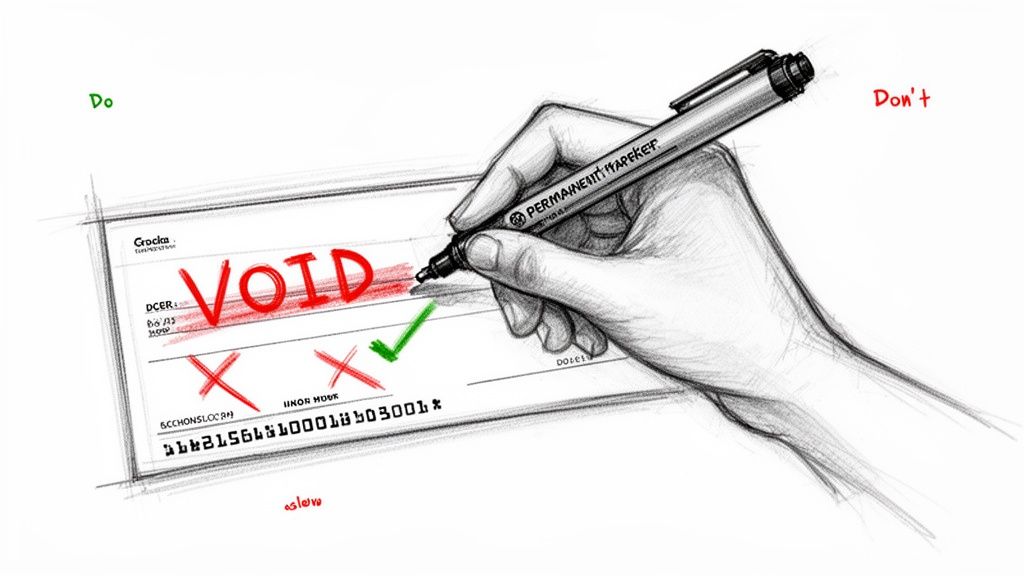
First things first, grab a pen with permanent ink—black or blue is perfect. You want something that can't be erased or tampered with, so steer clear of pencils or those fancy erasable pens. A permanent marker can also work, just be careful it doesn't bleed through and mess up the numbers on the back.
Once you have your pen, write "VOID" in big, bold letters right across the front of the check. Don't be shy about it. The goal is to make it crystal clear that this check has no cash value and can't be used for payment. This simple act is your main line of defense.
Where to Write "VOID" (And Where Not To)
This is the most critical part. While you want "VOID" to be obvious, you absolutely must not cover the essential banking information at the bottom of the check. That long string of numbers—your bank's routing number and your personal account number—is the entire reason you're doing this. If payroll can't read those numbers, the check is useless.
Think of it like this: you're canceling the payment part of the check, not the information part. A large "VOID" scrawled across the middle, away from the bottom edge, is the sweet spot.
Common Mistakes to Avoid
It’s a straightforward process, but a few common slip-ups can cause headaches. Keep these things in mind to make sure your check is accepted on the first try:
- Don't Sign It: This is a big one. A signature is what authorizes payment. Even though you’ve written "VOID" on it, signing the check creates unnecessary risk and confusion. Leave that signature line completely blank.
- Leave Other Fields Empty: The date, payee line ("Pay to the order of"), and the amount box should all be left empty. You're providing a blank slate with your account details, not a half-written check.
- Double-Check the Numbers: Before you hand it over, give the bottom of the check one last look. Did your "VOID" accidentally stray and cover a digit of your account or routing number? If so, it’s better to tear it up and start fresh with a new one.
Nailing these simple steps means your voided check will do its job perfectly—giving your employer the info they need without giving anyone else the ability to access your money.
And if you don't have a physical checkbook? No need to run to the bank. You can use a service like the digital voided check generator to create a secure, compliant PDF in just a few minutes, right from your computer.
No Checkbook? Modern Ways to Set Up Direct Deposit
Let's be honest, most of us haven't touched a physical checkbook in years. So, when a new employer asks for a voided check to set up your direct deposit, it can feel like you've been sent on a scavenger hunt for a relic. The great news? You don't have to order a pricey box of checks you'll never actually use.
The financial world has caught up, offering several modern, paper-free alternatives to get your payroll information submitted securely and quickly. You have options that range from a quick trip to your bank to using an online service that gets the job done in less than a minute.
Bank-Provided Direct Deposit Forms and Letters
Your first stop can often be your own bank's website or mobile app. Most major financial institutions know that checkbooks are becoming a thing of the past and have created digital solutions for this exact situation.
Here’s what you can typically find:
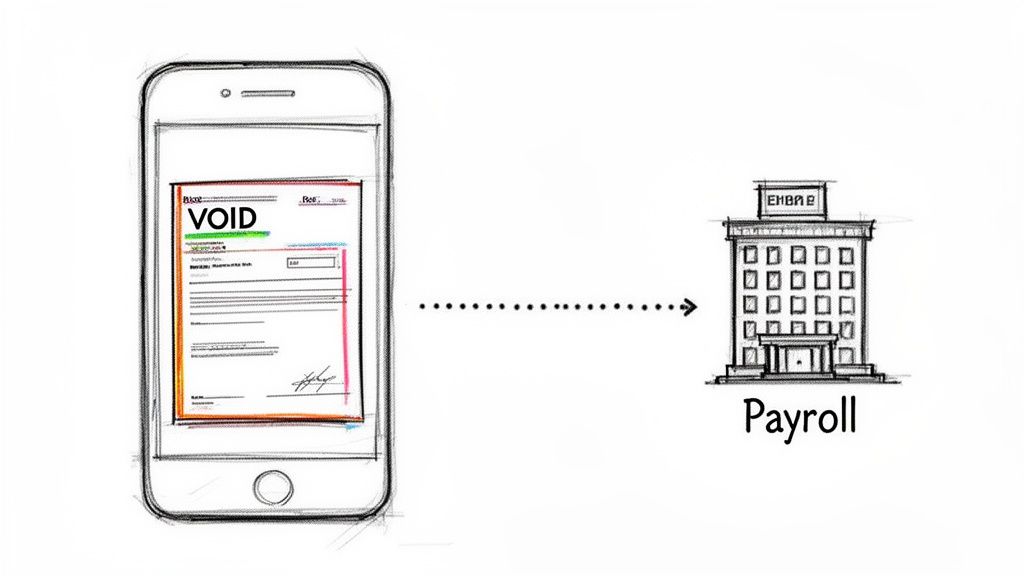
- Pre-filled Direct Deposit Forms: Log into your online banking portal, and you can often download a pre-filled PDF form. This document officially has your name, routing number, and account number, serving the exact same verification purpose as a voided check.
- Official Bank Letters: If a ready-made form isn't available, you can ask your bank for an official letter. Printed on the bank's letterhead, this document confirms all the necessary details for your employer. You might need to visit a branch or call customer service to get one.
While these methods are perfectly reliable, they aren't always fast. Digging through a banking website to find the right form or waiting for a letter can add annoying delays to getting your direct deposit up and running.
The Fastest Solution: Digital Voided Checks
For anyone who needs a compliant document right now, the most efficient path is a secure digital voided check generator. These specialized online services are built for one thing: to provide an instant, professional, and widely accepted voided check without any of the usual hassle.
Instead of waiting for bank documents or ordering physical checks, a digital generator provides a perfectly formatted PDF in under 60 seconds. It marries the speed of today's technology with the trusted format payroll departments already know and accept.
This approach brings several key benefits to the table, making it the clear winner for anyone wondering what is a voided check for direct deposit when they don't have a checkbook. It prioritizes what matters most in a modern hiring process: speed, security, and accuracy.
A quality service ensures every detail is perfect. For example, platforms like VoidedCheck.org cross-reference your routing number against Federal Reserve data to guarantee it's correct. These services also use bank-grade 256-bit SSL encryption to protect your information and never store your data after the check is created. You can see for yourself how a digital voided check delivers this powerful blend of speed and security.
Comparing Account Verification Methods
To help you choose, here's a quick side-by-side look at how these different methods stack up. It’s clear that some options are built for today’s fast-paced environment, while others follow a more traditional, and slower, timeline.
| Method | Speed | Convenience | Typical Acceptance |
|---|---|---|---|
| Physical Voided Check | Slow (if you have to order checks) | Low (requires having a checkbook on hand) | High |
| Bank-Provided Form | Moderate (depends on bank website) | Moderate (requires login and navigation) | High |
| Official Bank Letter | Slow (can take days to receive) | Low (often requires a phone call or branch visit) | High |
| Digital Voided Check | Instant (under 60 seconds) | Very High (done online from any device) | High |
Ultimately, modern solutions eliminate friction. With a digital generator, you simply enter your information, preview the document, and get a compliant PDF in your email instantly. It’s the perfect answer for getting your onboarding paperwork done so you can get paid without delay.
Common Uses for a Voided Check Beyond Payroll
While setting up direct deposit for a new job is probably the first thing that comes to mind, a voided check is useful for much more than just getting paid. Think of it as the original, trusted way to create a secure link between your bank account and another company. It's the go-to method for authorizing all kinds of electronic fund transfers (EFTs).
Any time a business needs to regularly pull money from your account (or send money to you), a voided check is often their preferred way to get your bank details right. The pre-printed, bank-verified information on a check provides a level of accuracy and security that just scribbling down numbers on a form can't match.
Establishing Automatic Payments and Transfers
Setting up automatic bill payments is one of the most popular uses. Instead of remembering to mail a check every month and hoping it arrives on time, you can authorize companies to pull the funds directly from your account. It’s a simple way to make sure you never miss a due date.
Common examples include:
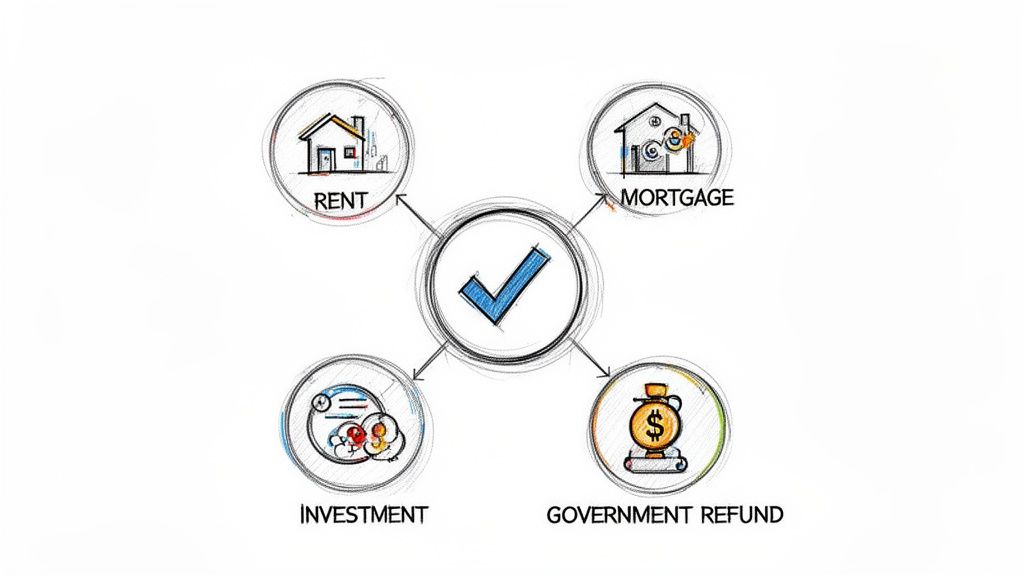
- Recurring Rent or Mortgage Payments: Your landlord or lender can use your account info to automatically collect your payment on the same day each month.
- Utility Bills: Power, water, and internet providers often ask for a voided check to get your autopay services up and running.
- Loan Repayments: It’s a standard step for setting up automatic payments on car loans, personal loans, or student loans.
A voided check acts as your formal authorization. It gives a third party the exact details they need to create a secure ACH (Automated Clearing House) connection with your bank account for these transactions.
Linking Financial and Government Accounts
Beyond just paying bills, a voided check is also a key tool for managing your wider financial life. It helps you move money between different financial institutions and even get important government payments without a hitch.
For instance, you'll probably need one when you're:
- Connecting Investment Accounts: Brokerage firms often require it to set up electronic transfers so you can easily fund your investment or retirement accounts.
- Linking to High-Yield Savings: To move funds from your main checking to a separate high-yield savings account, a voided check is a common way to verify the external account.
- Receiving Tax Refunds: The IRS and state tax agencies can use the information to deposit your tax refund directly into your bank, which is much faster and safer than waiting for a paper check in the mail.
Even with apps and digital payments everywhere, the physical check format remains a pillar of financial verification. In fact, the U.S. still processes 14.5 billion checks annually, worth a staggering $25.8 trillion. You can find more details on why checks remain relevant in modern finance on Artsyltech.com. This shows just how important it is to have a fast, on-demand way to generate a voided check when you need one.
Your Top Questions About Voided Checks, Answered
Setting up direct deposit for the first time? It’s normal to have a few questions, especially when it comes to handling your banking details. Let's walk through some of the most common concerns to make sure you feel confident and secure.
Is It Safe to Email a Voided Check?
Think twice before attaching a voided check to a regular email. While the check itself can't be cashed, it’s a snapshot of your sensitive banking information—namely, your account and routing numbers. Email isn't a fortress; it can be intercepted.
If your employer offers a secure portal for uploading documents, always use that. If email is the only way, be absolutely certain you have the right recipient address. A better, more modern approach is to use a secure digital check generator. These services often give you an encrypted file or a secure link to share, which is a much safer bet.
Can I Just Write My Bank Numbers on a Piece of Paper Instead?
I wouldn't recommend it, and your payroll department almost certainly won't accept it. A handwritten note has zero official standing and is an open invitation for typos and mistakes.
A voided check acts as proof that the account numbers belong to a real, active bank account under your name. Your employer needs that verification for their own security and compliance. A scrap of paper just can't provide that same level of trust.
What If My Address on the Check Is Old?
Don't sweat it too much. The information that truly matters for electronic transfers is your name, account number, and routing number. An old address usually isn't a showstopper because payroll is focused on matching your name to the bank account.
That said, it’s always a good habit to keep your information current to avoid any confusion or delays. When you use a digital service to create a voided check, you can simply type in your current address, ensuring everything on the document is up-to-date and looks professional.
Do Voided Checks Expire?
Nope, not really. The core information—your account and routing numbers—is tied to your bank account, and as long as that account is open, those numbers are good.
However, some companies have internal policies that require financial documents to be recent (say, within the last 30 or 60 days) just to confirm the account is still active. To be safe and avoid any hiccups, it's always best to use a freshly voided check or generate a new digital one.
Can I Use a Deposit Slip Instead of a Check?
In many situations, yes. A pre-printed deposit slip from your checkbook has the same key routing and account numbers on it. Because it serves the same basic purpose—verifying your account details—many employers are perfectly fine with it.
But don't assume. Some payroll systems are set up specifically to read the format of a check. Your best move is to quickly ask your HR or payroll contact if a deposit slip works for them before you hand it over.
Key Takeaway: A voided check isn't about payment; it's about verification. Its job is to safely and accurately get your bank details where they need to go while proving you own the account. Protecting this information is just as crucial as getting the numbers right.
Can I Make a Photocopy of a Voided Check?
Absolutely. Once you've properly voided one check, you can make as many copies as you need. This is super handy if you're setting up direct deposit for a new job and an automatic rent payment in the same week. You can just give a copy to each.
Both parties just need to be able to clearly read the banking information. This simple trick saves you from using up multiple checks from your checkbook for paperwork.
Ready to create a secure, professional voided check in under a minute without a checkbook? VoidedCheck.org offers an instant solution that is fast, secure, and guaranteed to be accepted. Get your compliant PDF today and streamline your direct deposit setup. Visit https://voidedcheck.org to get started.
Generate a Voided Check for These Banks
Related Articles
Choosing the Best Payroll Software for Small Business
Compare the best payroll software for small business. Our expert guide reviews features, pricing, and use cases to help you choose the right solution.
Where can i get a voided check: Quick, safe ways online or at your bank
Learn where can i get a voided check and other quick options online or at your bank for easy direct deposit.
What Is ACH Authorization A Simple Guide to How It Works
What is ACH authorization? This guide explains how ACH authorization works for direct deposits, bill payments, and more in easy-to-understand terms.